






Dell Pro Dock WD25 – 210-BRFQ

Brand: Dell

AED 755.00 excl. VAT

Includes
  • Product Type : Docking station
  • Ethernet Technology : RJ45 Ethernet port, 2.5GbE
  • OS Required : Windows 10, Windows 11, Ubuntu


For The Immediate delivery requirement contact sales team. Usually Ship in 2-3 days, backorder ship in 4-5 Weeks, images are for illustration purposes only.

Secure Payment

Secure

Transaction

Service Center Warranty

Shop Location

WhatsApp

AED 755.00 excl. VAT

Supply Chain Alert:

Rising AI demand is causing IT supply constraints and cost increases in memory and storage, contact our specialists to secure inventory and pricing before placing orders.

Applicable to items equipped with memory and storage components.

Best Price: AED 755.00 on Credit / Debit card / Cash Payment (AED 0.00)
Estimated delivery between Apr 8, 2026 - Apr 13, 2026

For urgent delivery, please contact sales before ordering. Orders usually ship as per the estimated delivery date in certain case backorders may take 4–12 weeks. Images are for illustration only and may differ from the actual item.

3 + 4 =
SKU: 210-BRFQ Category: Tags: , Brand:

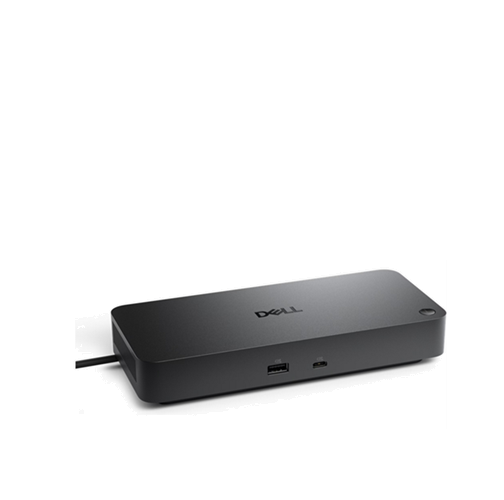
Dell Pro Dock WD25 – 210-BRFQ


  • Product Type : Docking station
  • Ethernet Technology : RJ45 Ethernet port, 2.5GbE
  • OS Required : Windows 10, Windows 11, Ubuntu

PN: 210-BRFQ


View right-facing Dell Pro WD25 Docking Station

Dell Pro Dock – WD25

Boost your productivity with the latest pro dock that offers up to 100W power delivery and a wide variety of connecting options.


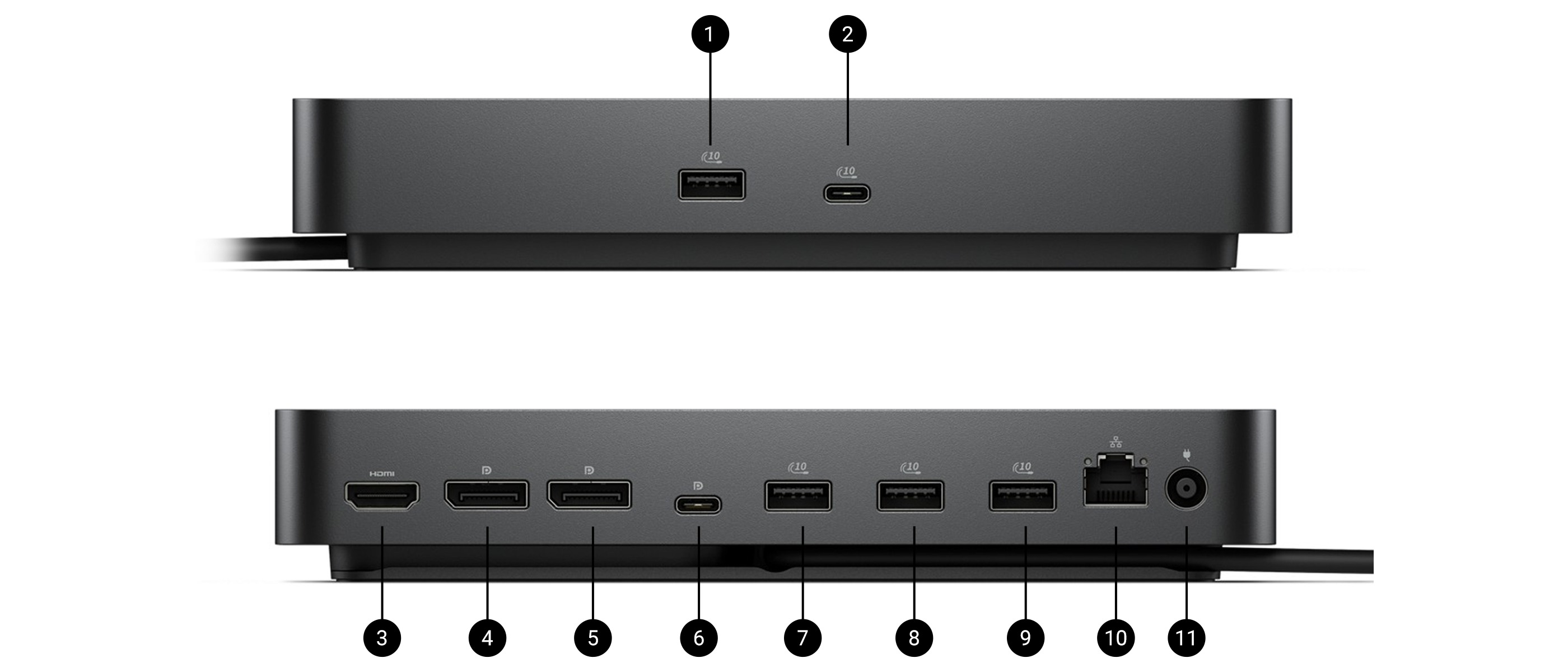
Ports & Slots

Front side

1. USB-A 3.2 Gen 2 with
PowerShare

2. USB-C 3.2 Gen 2

Rear side

3.HDMI 2.1

4.DisplayPort 1.4

5.DisplayPort 1.4

6.USB-C 3.2 Gen 2 Multifunction
DisplayPort 1.4

7.USB-A 3.2 Gen 2 with
PowerShare

8. USB-A 3.2 Gen 2 with PowerShare

9. USB-A 3.2 Gen 2 with PowerShare

10. 2.5 Gigabit Ethernet (RJ45)

11. Power In
 

Published on lastbestprice.com


Overview


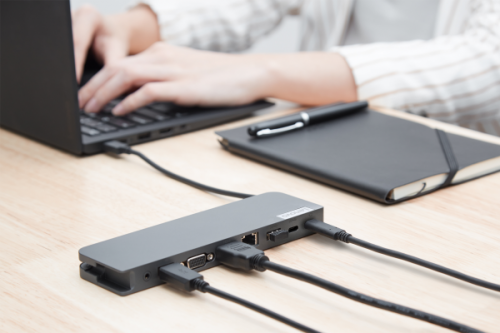
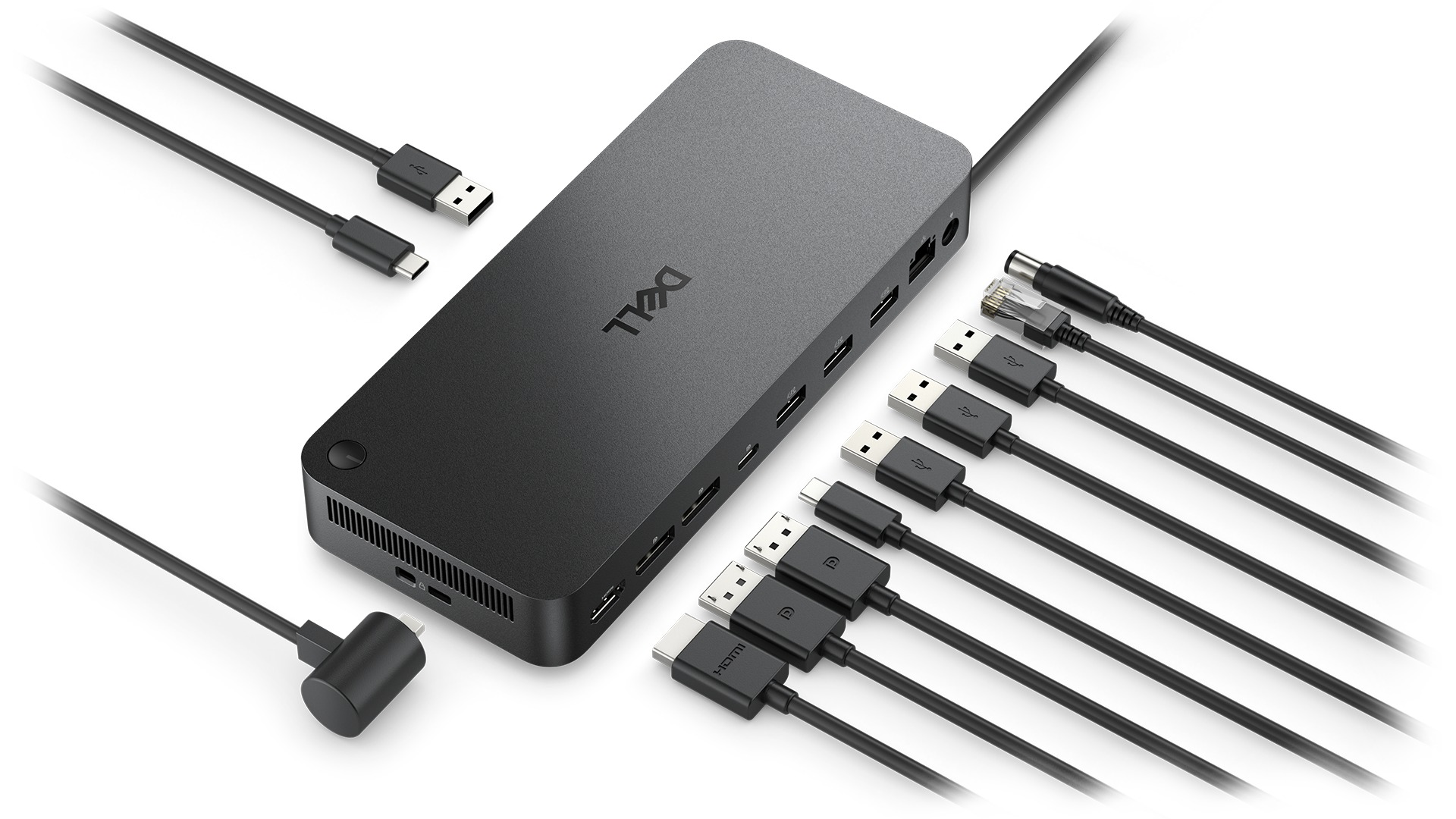
Showing the type of cable that can connect to a Dell Pro Dock.

Fuel your productivity

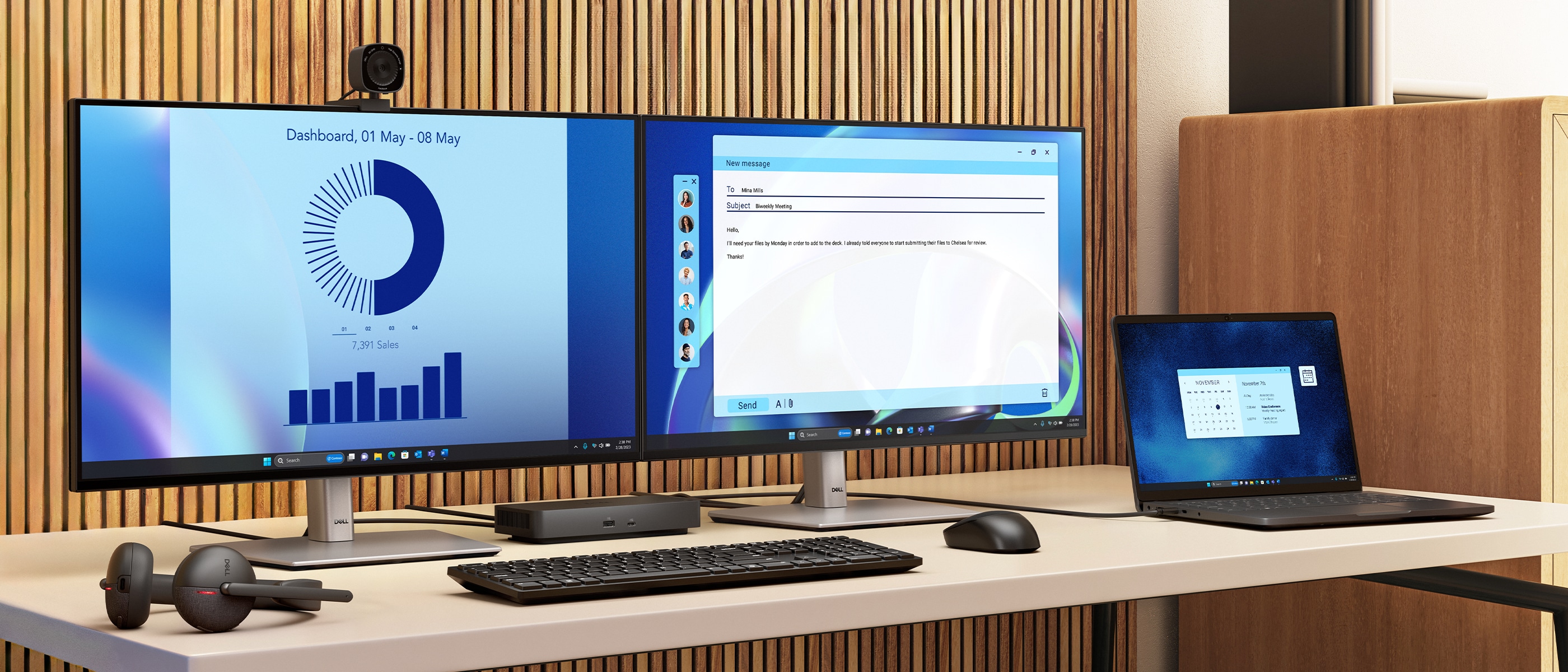
Gain the versatility to create your ideal workspace with a dock featuring 6 USB ports, support for 4 displays and driving up to 100W of power delivery to the latest Dell AI PCs for optimal productivity.


View rear-facing Dell Pro WD25 Docking Station


More manageable

Keep your dock up to date and work without interruption.

The Dell Pro Dock is connected to a laptop while the firmware is being updated via the dock.


View forward-facing Dell Pro WD25 Docking Station


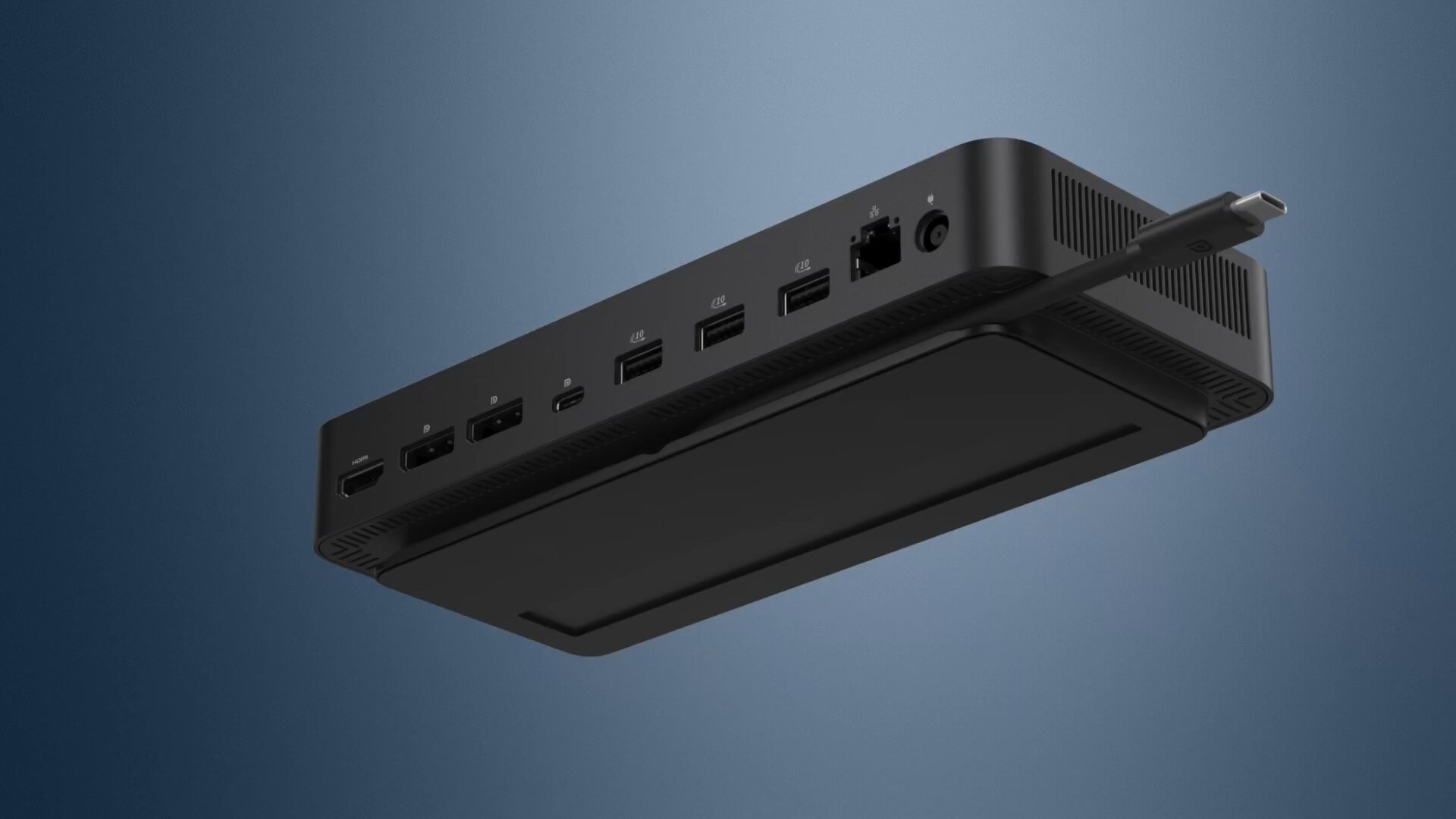
Ambidextrous USB-C cable

Connect your way

Configure your workspace to your liking with an ambidextrous USB-C cable[1] that can be routed left or right.


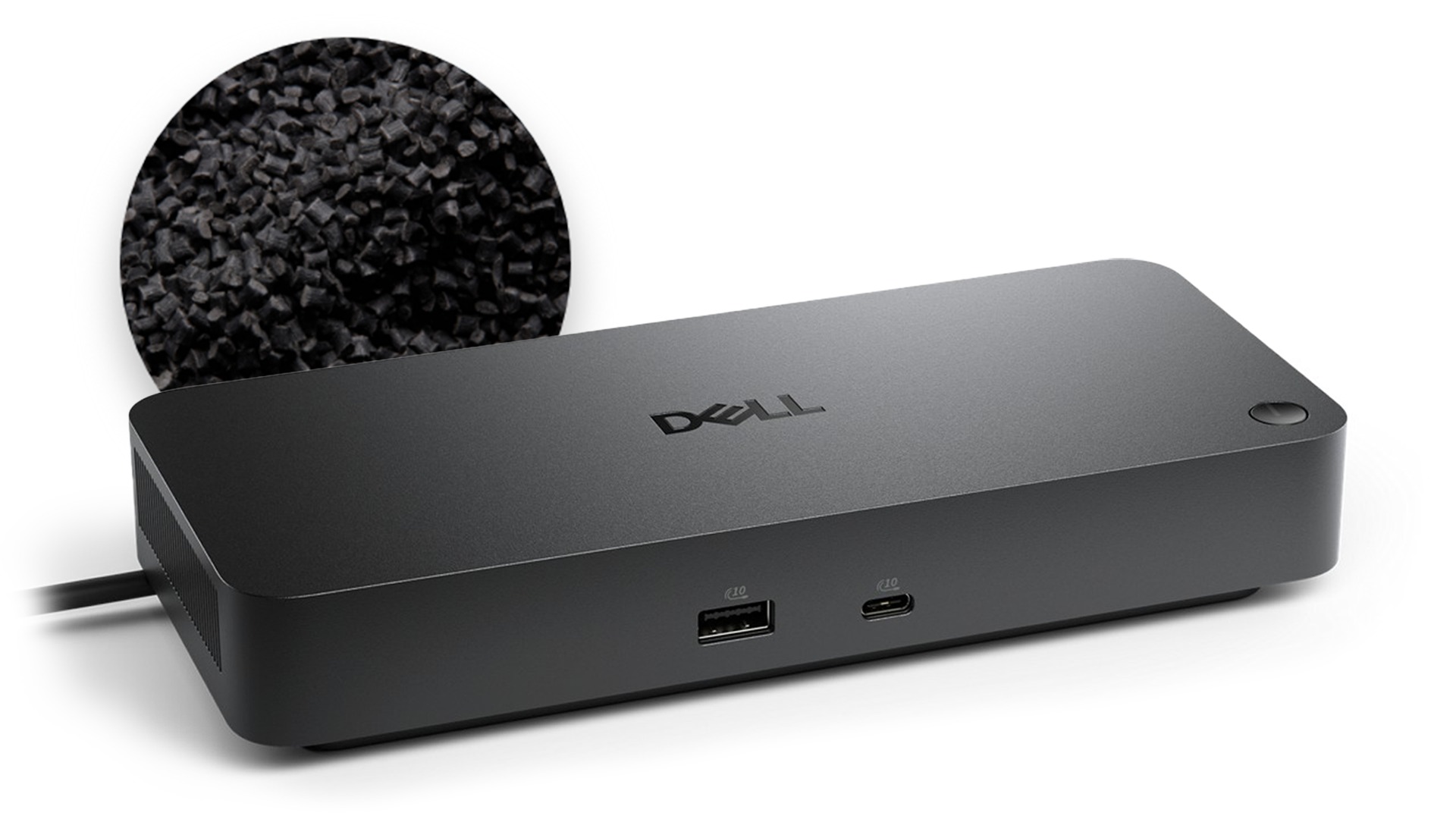
The Dell Pro Dock with an image showing recycled plastic behind it.

Designed for sustainability

The Dell Pro Dock is built with at least 65% post-consumer recycled materials[2] and packaged with 100% recycled or renewable packaging,[3] and offering up to 72% power consumption reduction on standby mode.[4]


View left-facing Dell Pro WD25 Docking Station


Published on lastbestprice.com

Detailed Tech Specs


Technical Information

Connectivity Technology
  • Wired
Number of Displays Supported
  • 4
Management Features
Host PC Management
  • MAC address pass-through
  • PXE Boot
  • Dock Power Button Sync
  • Wake-On-LAN
  • WLAN to LAN switch
  • Kernel Direct Memory Access (DMA) protection
Dock Management Features
  • Host PC based firmware update
  • Firmware update on disconnect
  • Port Disablement
Device Supported
  • Notebook
 

Video Resolution

DP1.4 with Display Stream Compression
  • 4 x WQHD (3440 x 1440) @ 60Hz
  • 3 x WQHD (3440 x 1440) @ 60Hz
  • 2 x 5K (5120 x 2160) @ 60Hz
  • 1 x 6K (6144 x 3456) @ 60Hz
DP1.4 without Display Stream Compression
Up to:
  • 4 x HD (1280x720) @ 60Hz
  • 3 x FHD (1920x1080) @ 60Hz
  • 2 x QHD (2560x1440) @ 60Hz
  • 1 x 4K (3840 x 2160) @ 60Hz
 

Network & Communication

Ethernet Technology
  • RJ45 Ethernet port, 2.5GbE
 

Interfaces/Ports

Interfaces
Video interfaces
  • 2 x DP1.4
  • 1 x HDMI 2.1
  • 1 x USB-C 3.2 Gen 2 Multi-function DisplayPort 1.4
USB Ports (Data Only)
  • 4 x USB-A 3.2 Gen 2 (10 Gbps)
  • 1 x USB-C 3.2 Gen 2 (10 Gbps)
USB Power Delivery
  • 100W (Dell systems)
  • 96W (non-Dell systems)
USB Ports (Power)
  • 4 x USB-A 3.2 Gen 2 (4.5W each)
  • 1 x USB-C 3.2 Gen 2 (15W)
  • 1 x USB-C Multi-function DisplayPort (7.5W)
  • All deliver power with or without PC
 

Software

Operating System Supported
  • Windows 10
  • Windows 11
  • Ubuntu
  • Red Hat Enterprise Linux
  • ChromeOS
 

Power Description

Maximum Power Supply Wattage
  • 130W
 

Physical Characteristics

Height
  • 20.5cm
Width
  • 9cm
Depth
  • 3.52cm
Weight (Approximate)
  • 550 g
 

Miscellaneous

Package Contents
  • Docking Station
  • Power Adapter and Power Cord
  • Documentation (Quick Start Guide, Safety, Environmental, and Regulatory Information)
Kensington Security Slot
  • Yes
 

Warranty

Limited Warranty
  • 3 Year
Additional Warranty Information
  • 3-Year Limited Hardware Warranty with Advanced Exchange
  • Additional 4- & 5-year warranty optional
 
Published on lastbestprice.com
Color

Reviews

There are no reviews yet.

Be the first to review “Dell Pro Dock WD25 – 210-BRFQ”