




Shop by Category




Special Promotion
Special Promotion
Special Promotion

Brand: Synology
Call for Price
Call for Price
For urgent delivery, please contact sales before ordering. Orders usually ship as per the estimated delivery date in certain case backorders may take 4–12 weeks. Images are for illustration only and may differ from the actual item.
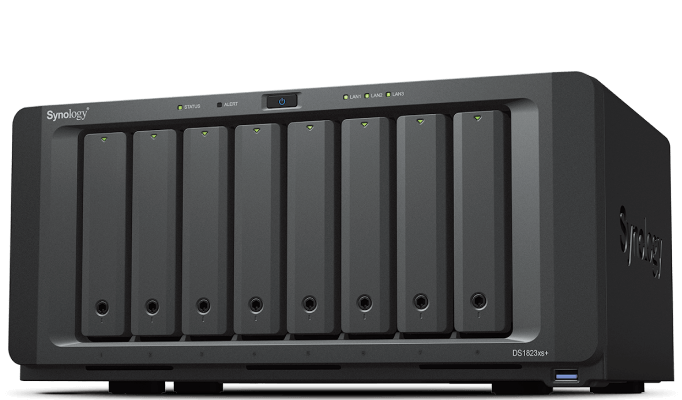
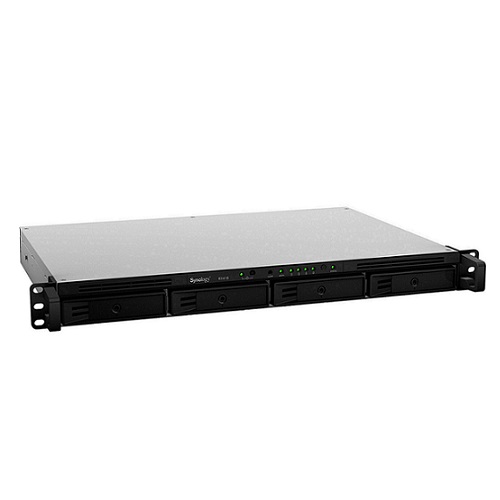
Flexible large-scale storage for small and medium-sized businesses
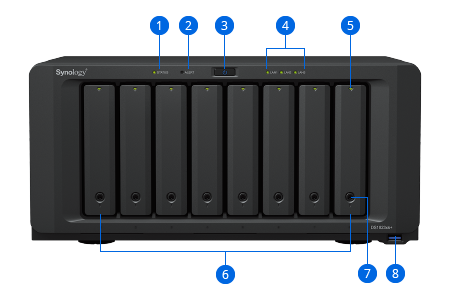
1. Status Indicator
2. Alert Indicator
3. Power Button and Indicator
4. LAN Indicators
5. Drive Status Indicators
6. Drive Trays
7. Drive Tray Locks
8. USB 3.2 Gen 1 Port
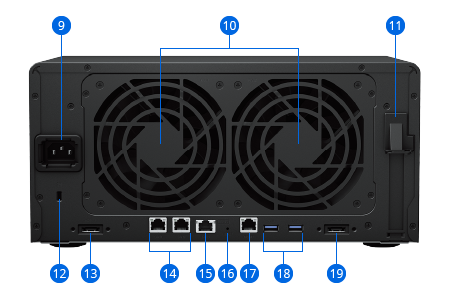
9. Power Port
10. Fans
11. PCI Express Expansion Slot
12. Kensington Security Slot
13. Expansion Port
14. 1GbE RJ-45 Ports
15. 10GbE RJ-45 Port
16. Reset Button
17. Management Port
18. USB 3.2 Gen 1 Ports
19. Expansion Port
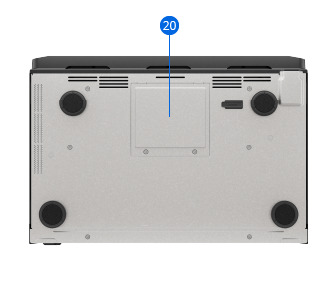
20. Memory Slots

The DS1823xs+ is a powerful central storage server that can easily be deployed anywhere to provide shared data storage and sharing, endpoint and server backup, VM storage, surveillance management, and other business applications. It is perfect in settings where no dedicated server rack or data center is available.


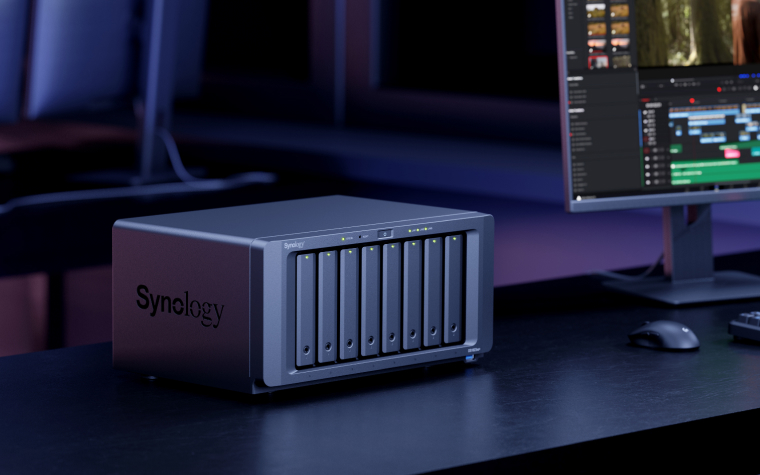
Built-in data integrity protection, remote management options, and easy hardware expansion make the DS1823xs+ dependable, easy to maintain, and cost efficient.
The Btrfs file system helps prevent data corruption or loss through metadata mirroring, file self-healing, and efficient point-in-time snapshots. ECC memory provides additional integrity safeguards.
Monitor, manage, and replace drives and storage online in Synology DSM. Remotely reboot, reset, or view logs while the system is down thanks to out-of-band management (OOB).
The DS1823xs+ can be scaled to up to 18 bays by adding two DX517 expansion units without system downtime, thanks to online storage and volume expansion.

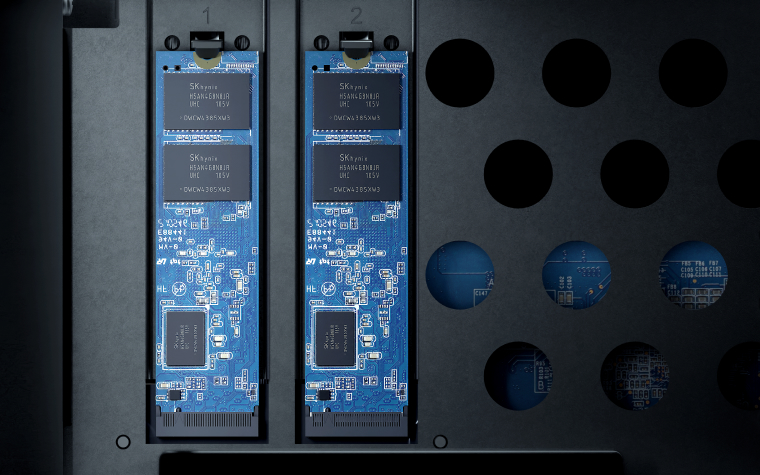
Configure the DS1823xs+ to handle any workload. Easily add 1/10/25GbE or Fibre Channel ports and designate NVMe or SATA SSD volumes as read/write cache to boost HDD performance.
Experience faster7 file indexing in Synology Drive and higher sequential throughput.

Manage all your documents, photos, and other files, back up applications and devices, and protect your physical assets with professional video surveillance.

Use the DS1823xs+ as a central file repository and data sharing hub. Provide easy access to business data from PCs, phones, and other devices, and set up powerful cross-site syncing to empower collaboration between offices or branches.
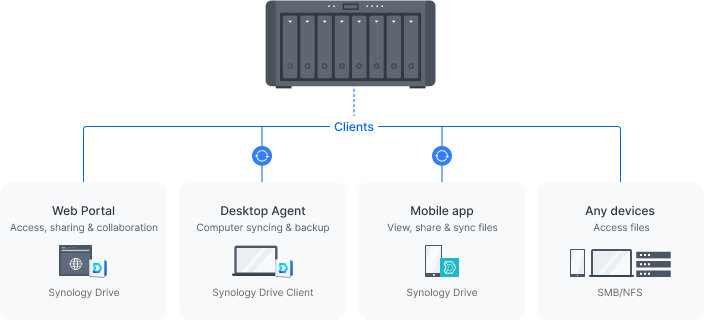
Empower your entire organization with a streamlined ability to access, share, and sync data from anywhere. Provide employees with access to corporate files through mobile apps, desktop clients, and a browser-based interface. Set granular file and folder access and sharing permissions. Maintain a full overview of file activities and track file share settings changes with detailed records in the Synology Drive Admin Console.Learn more
Use shared folders on your Synology device as reliable storage available from anywhere on your local network over all common protocols (SMB/NFS/WebDAV/FTP). Protect your files against accidental changes and removal or even malware attacks with built-in snapshot technology and other backup options.
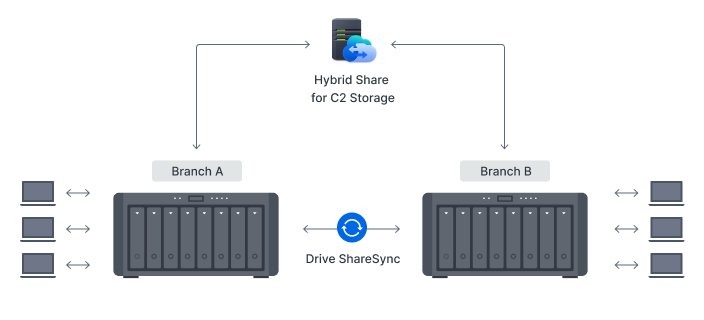
Make sure branches always have up-to-date copies of crucial documents and data available locally by syncing Synology systems one or two-way using Synology Drive ShareSync. Have files updated across locations each time there is a change to efficiently keep all stakeholders on the same page.Learn more
Boost syncing speeds, cut bandwidth use, and reduce your storage footprint by leveraging the powerful connectivity of our data centers. Synology Hybrid Share intelligently synchronizes data to Synology devices.10 Large or less frequently accessed files are stored on the cloud to reduce local storage requirements, while frequently used files are stored on local devices to provide users access at LAN speeds.Learn more

Back up files, folders, physical devices, VMs, and SaaS applications with free solutions, and protect your NAS with built-in technologies.
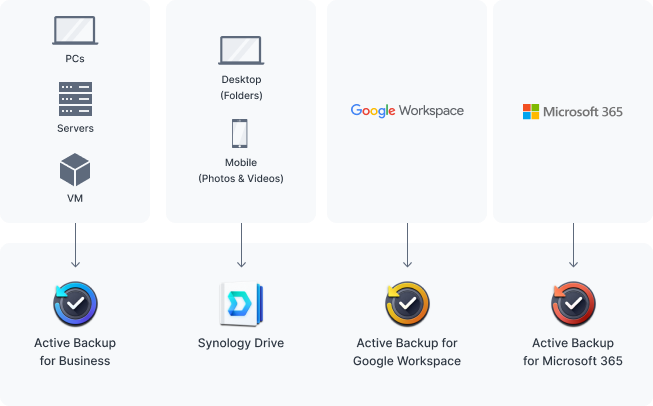
Consolidate and automate backup tasks for PCs, file servers, VMs, SaaS applications, and more with Active Backup Suite. Administer device backups remotely through a centralized portal and quickly restore specific files or entire devices to keep your business up and running. Take advantage of built-in remote backup solutions designed to protect your data with seamless 3-2-1 backup configurations.Learn more
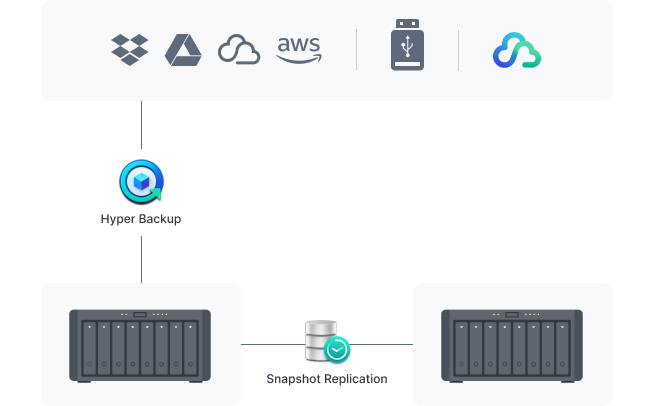
Protect all data, applications, and configurations on your Synology systems with comprehensive scheduled backups to local and remote servers, external drives, or cloud storage destinations including Synology C2 Storage.Learn more
Configure efficient point-in-time snapshots of shared folders and LUNs at intervals as short as 5 minutes. Allow users to easily restore previous versions of files unassisted, quickly recover VMs, and copy snapshots to another server to benefit from rapid storage failover.Learn more

Host cost-efficient business solutions, either through containers, virtual machines, or Synology DiskStation (DSM)’s own solutions, including a powerful free backup suite, a versatile mail server, and a surveillance VMS with transparent licensing.
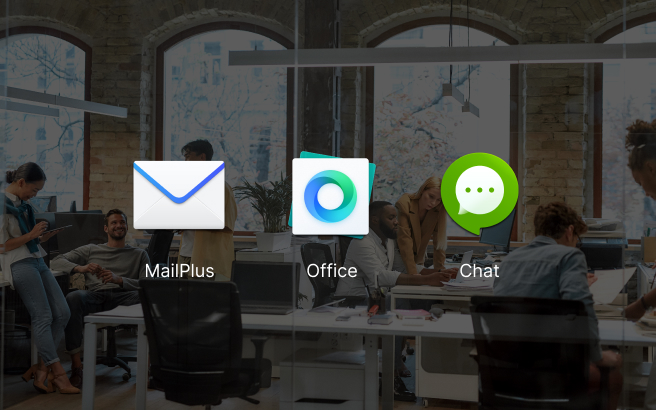
Create and edit documents, spreadsheets, and slides together with your whole team in real time. Easily migrate existing documents from other platforms and take ownership of your files in a secure private cloud.Learn more
Synology’s private cloud mail solution provides ease of use, full data ownership, and robust data security with a low total cost of ownership thanks to its perpetual licensing model.Learn more
Keep teams connected through encrypted one-on-one private chats, public channels, and group conversations. Efficiently organize discussions with bookmarks, searchable hashtags, and chatbots.Learn more
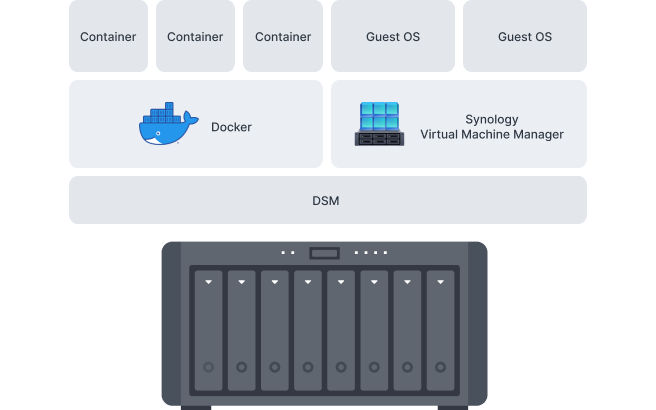
Run Docker containers and VMs on DS1823xs+ using Docker and Synology Virtual Machine Manager (VMM)11 — a hypervisor for virtualized versions of Windows®, Linux®, and DSM — to safely test and evaluate applications.
Virtual DSM serves as a test environment for package updates or to add an additional layer of security between applications, systems, and data.Learn more
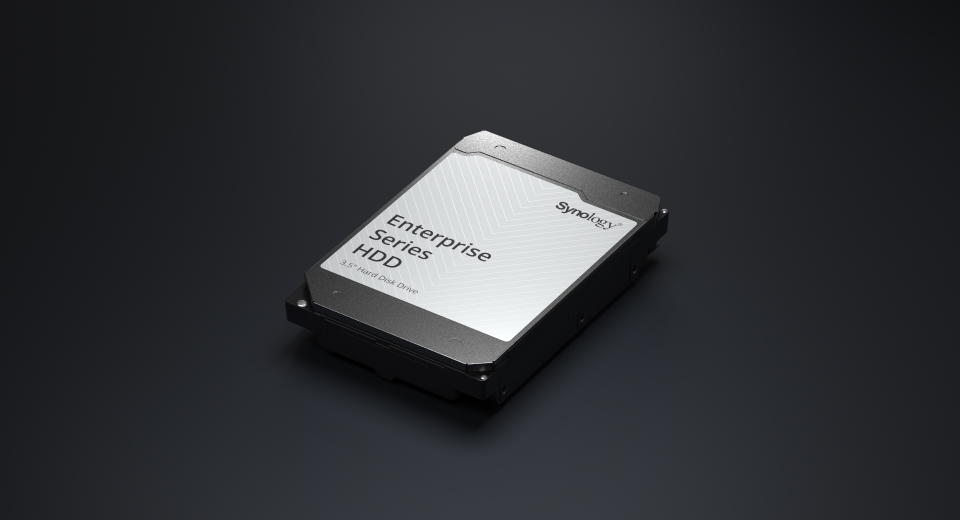
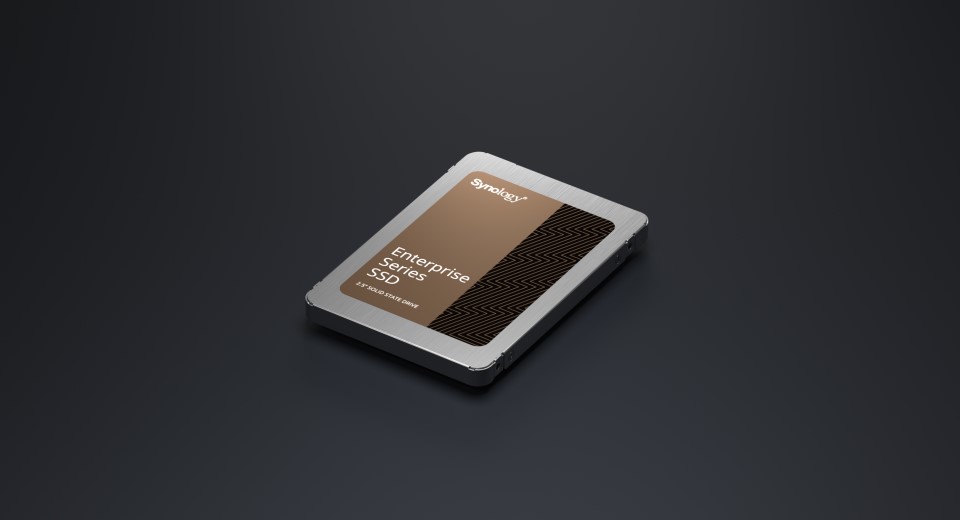
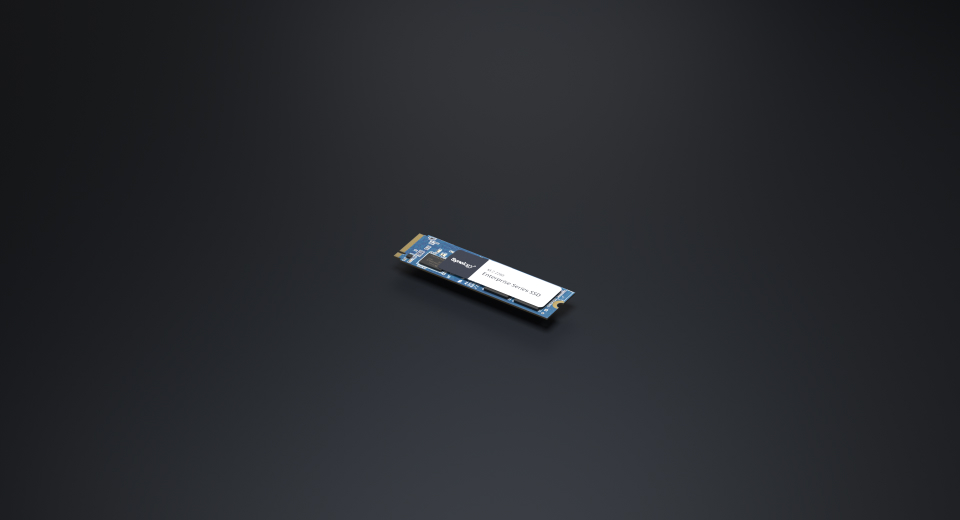
Engineered to handle intensive 24/7 workloads, Synology drives consistently deliver top-grade performance.
Take advantage of a host of native productivity, management, and security solutions available in the web-based Synology DSM operating system.

Conveniently manage your fleet of Synology NAS from a centralized console.

Shield your Synology NAS from the most sophisticated threats with industry-leading security solutions.

Seamless transition between clustered servers in the event of a server failure to minimize the impact on applications.
|
CPU |
CPU Model | AMD Ryzen V1780B |
|---|---|---|
| CPU Quantity | 1 | |
| CPU Core | 4 | |
| CPU Architecture | 64-bit | |
| CPU Frequency | 3.35 (base) / 3.6 (turbo) GHz | |
| Hardware Encryption Engine | ||
|
Memory |
System Memory | 8 GB DDR4 ECC SODIMM |
| Memory Module Pre-installed | 8 GB (8 GB x 1) | |
| Total Memory Slots | 2 | |
| Maximum Memory Capacity | 32 GB (16 GB x 2) | |
| Notes |
|
|
|
Storage |
Drive Bays | 8 |
| Maximum Drive Bays with Expansion Unit | 18 (DX517 x 2) | |
| M.2 Drive Slots | 2 (NVMe) | |
| Drive Type (See all supported drives) |
|
|
| Hot Swappable Drive* | ||
| Notes |
|
|
|
External Ports |
RJ-45 1GbE LAN Port | 2 |
| RJ-45 10GbE LAN Port | 1 | |
| Out-of-Band Management LAN Port | 1 | |
| USB 3.2 Gen 1 Port | 3 | |
| Expansion Port | 2 | |
| Expansion Port Type | eSATA | |
| Notes | This device's 1GbE LAN ports have a maximum transmission unit (MTU) size of 1,500 bytes. | |
|
PCIe |
PCIe Expansion | 1 x Gen3 x8 slot (x4 link) |
|
Appearance |
Size (Height x Width x Depth) | 166 mm x 343 mm x 243 mm |
| Weight | 6.2 kg | |
|
Others |
System Fan | 120 mm x 120 mm x 2 pcs |
| Fan Speed Mode |
|
|
| Easy Replacement System Fan | ||
| Brightness Adjustable Front LED Indicators | ||
| Power Recovery | ||
| Noise Level* | 23.6 dB(A) | |
| Scheduled Power On / Off | ||
| Wake on LAN / WAN | ||
| Power Supply Unit / Adapter | 250 watts | |
| AC Input Power Voltage | 100V to 240V AC | |
| Power Frequency | 50/60 Hz, Single Phase | |
| Power Consumption | 87.93 watts (Access) 28.37 watts (HDD Hibernation) | |
| British Thermal Unit | 300.23 BTU/hr (Access) 96.87 BTU/hr (HDD Hibernation) | |
| Notes |
|
|
|
Temperature |
Operating Temperature | 0°C to 40°C (32°F to 104°F) |
| Storage Temperature | -20°C to 60°C (-5°F to 140°F) | |
| Operating Humidity | 8% to 80% RH | |
| Storage Humidity | 5% to 95% RH | |
|
Certification |
|
|
|
Warranty |
5 Years | |
| Notes | The warranty period starts from the purchase date as stated on your purchase receipt. (Learn more) | |
|
Environment |
RoHS Compliant | |
|
Packaging Content |
|
|
|
Optional Accessories |
|
|
| Maximum Single Volume Size |
|
|
| Maximum Internal Volume Number | 256 | |
| M.2 SSD Storage Pool Support* | ||
| SSD Read/Write Cache (Determining cache size) | ||
| SSD TRIM | ||
| RAID Group | ||
| Supported RAID Type |
|
|
| RAID Migration |
|
|
| Volume Expansion with Larger HDDs |
|
|
| Volume Expansion by Adding a HDD |
|
|
| Global Hot Spare Supported RAID Type |
|
|
| Notes |
|
|
| Internal Drives |
|
|
| External Drives |
|
|
| File Protocol |
|
|
| Maximum Number of SMB Connections (FSCT-Based) | 340 | |
| Windows Access Control List (ACL) Integration | ||
| NFS Kerberos Authentication | ||
| Notes |
|
|
| Maximum Local User Accounts | 2,048 | |
| Maximum Local Groups | 512 | |
| Maximum Shared Folder | 512 | |
| Maximum Shared Folder Sync Tasks | 12 | |
| Maximum Hybrid Share Folders | 15 | |
| Folder and Package Backup | ||
| Entire System Backup | ||
| Notes | Full-system backup requires DSM 7.2 or later. | |
| Synology High Availability | ||
| Syslog Events per Second | 3,000 | |
|
Virtualization |
VMware vSphere | ESXi 8.0 U2, ESXi 8.0 U1, ESXi 8.0, ESXi 7.0 U3, ESXi 7.0 U2, ESXi 7.0 U1, ESXi 7.0, ESXi 6.7 U3, ESXi 6.7 U2, ESXi 6.7 U1, ESXi 6.7, ESXi 6.5 U3, ESXi 6.5 U2, ESXi 6.5 U1, ESXi 6.5 |
| Microsoft Hyper-V | Windows Server 2022 | |
| Citrix XenServer | XenServer 8, Citrix Hypervisor 8.2 LTSR CU1 | |
| OpenStack | Cinder | |
| Supported Protocols | SMB1 (CIFS), SMB2, SMB3, NFSv3, NFSv4, NFSv4.1, NFS Kerberized sessions, iSCSI, Fibre Channel, HTTP, HTTPs, FTP, SNMP, LDAP, CalDAV | |
| Supported Browsers |
|
|
| Supported Language | English, Deutsch, Français, Italiano, Español, Dansk, Norsk, Svenska, Nederlands, Русский, Polski, Magyar, Português do Brasil, Português Europeu, Türkçe, Český, ภาษาไทย, 日本語, 한국어, 繁體中文, 简体中文 | |
| Notes | For an updated list of supported browser versions, check the DSM Technical Specifications. | |
|
Add-on Packages view the complete package list |
||
|
Synology AI Console |
Third-Party AI Model Integration | |
| Maximum De-Identification Rate | 340 words per second | |
| Notes |
|
|
| Maximum Number of Users | 400 | |
| Notes |
|
|
|
Download Station |
Maximum Concurrent Download Tasks | 80 |
| Maximum iSCSI Target Number | 64 | |
| Maximum LUN | 128 | |
| LUN Clone/Snapshot, Windows ODX | ||
| Free Email Accounts | 5 (Additional accounts require purchase of licenses) | |
| Maximum Number of Users | 710 | |
| Notes |
|
|
| DLNA Compliance | ||
| Facial Recognition | ||
| Object Recognition | ||
| Maximum Snapshots per Shared Folder | 256 | |
| Maximum Snapshots per LUN | 64 | |
| Maximum Snapshots per System | 4,096 | |
| Maximum Replication Tasks for Shared Folders | 32 | |
| Maximum Replication Tasks for LUNs | 16 | |
| Maximum Replication Tasks per System | 32 | |
| Default Licenses | 2 (Additional cameras require purchase of licenses) | |
| Maximum IP Cameras and Total FPS (H.264) |
|
|
| Maximum IP Cameras and Total FPS (H.265) |
|
|
| Notes |
|
|
| Maximum Number of Users | 610 | |
| Maximum Number of Hosted Files | 5,000,000 (applies to files indexed or hosted by Synology Drive. For file access through other standard protocols, refer to the File Services section above) | |
| Notes |
|
|
| Maximum Number of Users | 590 | |
| Notes |
|
|
| Recommended Virtual Machine Instances | 8 (Learn more) | |
| Recommended Virtual DSM Number (Licenses required) | 8 (including 1 Free License) | |
| Notes | The specifications vary depending on system configuration and memory size. | |
| Maximum Connections | 12 | |
HPE
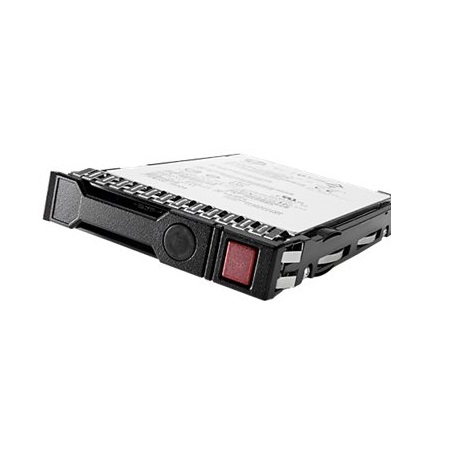
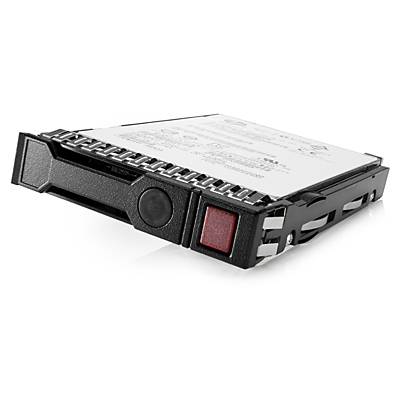
HPE 8TB SAS 12G Midline 7.2K LFF (3.5in) SC 1yr Wty 512e Digitally Signed Firmware HDD – 819201-K21











Reviews
There are no reviews yet.