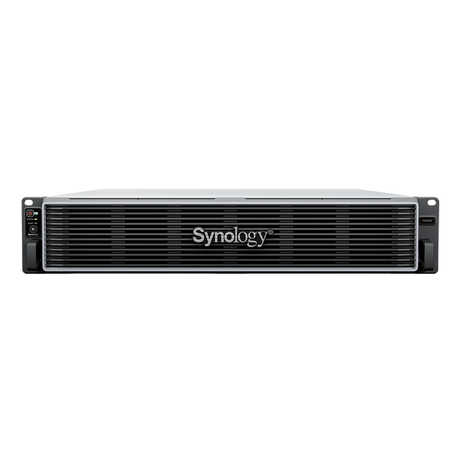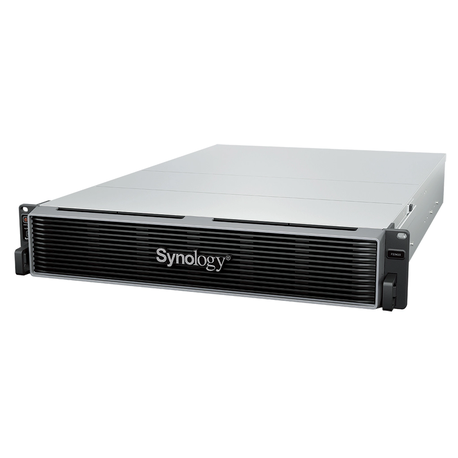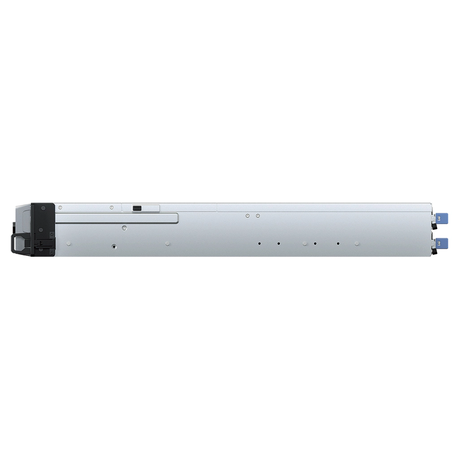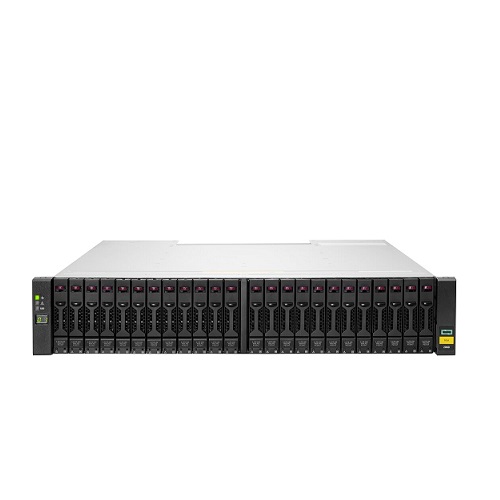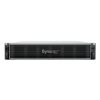






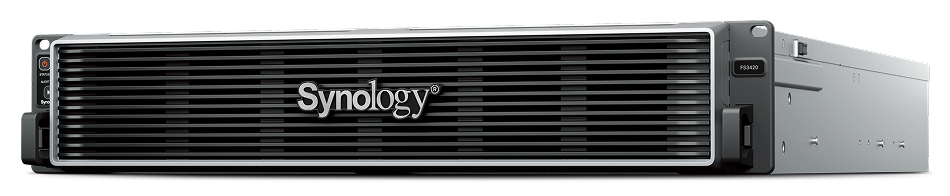
Synology Flash Station 3420 Intel Xeon D-1739, 32GB, 2U, 24 Bays – FS3420

Brand: Synology

2 + 1 =
Secure Payment

Secure

Transaction

Service Center Warranty

Shop Location

WhatsApp

AED. 50,210.00 excl. VAT

Estimated delivery between Nov 18, 2026 - Dec 16, 2026

For urgent delivery, please contact sales before ordering. Orders usually ship as per the estimated delivery date in certain case backorders may take 4–12 weeks. Images are for illustration only and may differ from the actual item.
SKU: FS3420 Category: Tag: Brand:
Supply Chain Alert:

Rising AI demand is causing IT supply constraints and cost increases in memory and storage, contact our specialists to secure inventory and pricing before placing orders.

Applicable to items equipped with memory and storage components.

Synology Flash Station 3420 Intel Xeon D-1739, 32GB, 2U, 24 Bays – FS3420


All-flash data management solution for I/O sensitive workloads.


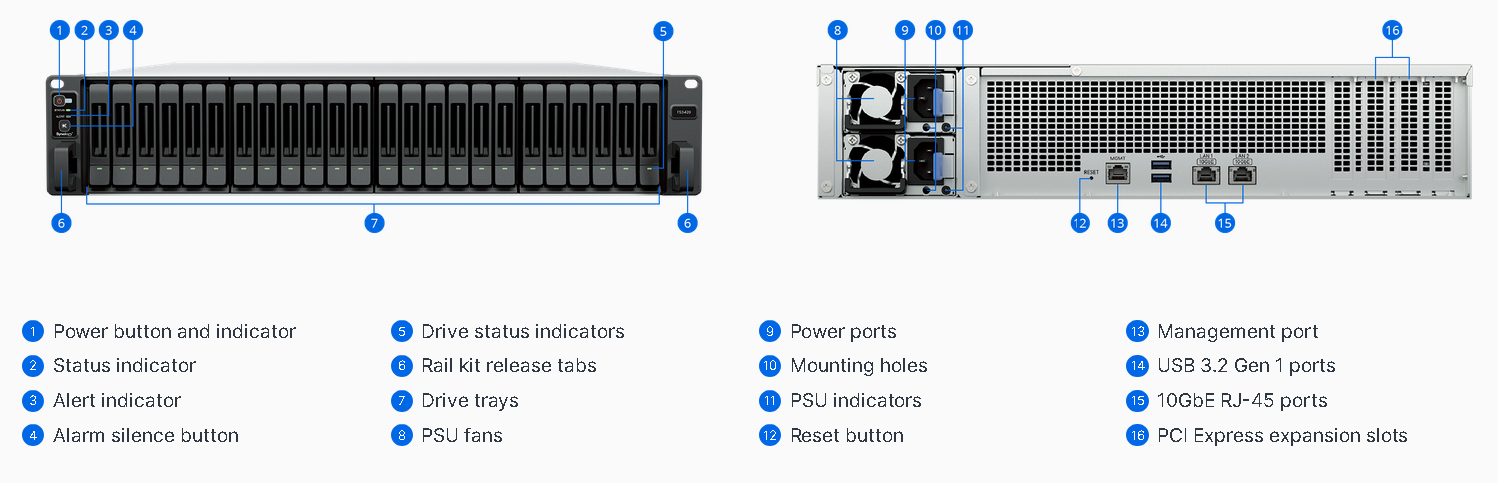
Ports & Slots

Front view of the product FS3420

  1. Power button and indicator
  2. Status indicator
  3. Alert indicator
  4. Alarm silence button
  5. Drive status indicators
  6. Rail kit release tabs


Back view of the product FS3420

7. Drive trays

8. PSU fans

9. Power ports

10. Mounting holes

11. PSU indicators

12. Reset button

13. Management port

14. USB 3.2 Gen 1 ports

15. 10GbE RJ-45 ports

16. PCI Express expansion slots


Published on lastbestprice.com


Overview


Features


First Product Image


Harness all-flash storage to speed up business workflows.

Fast and reliable

Over 169,000 random write IOPS2, built-in dual-port 10GbE and up to 168 TB raw storage3,4

Flexible configuration

Supports additional 10/25GbE ports, Fibre Channel adapters5and up to 192 GB of memory

Versatile business application platform

Enhance productivity with collaboration tools and run containerized or virtualized workloads.


Second Product Image

Consolidate your essential workloads

FS3420 is the ideal data storage solution to power and protect your demanding workloads and data services.


Sixth Product Image

Performance that drives productivity

iSCSI: Random IOPS with SSD2


common.wcag_label_order_7 Product Image

Designed for reliability


Image showing Synology add-in cards of 10GbE and 25GbE for connectivity upgrade

Flexible, high-performance network connectivity

The FS3420 supports a wide range of networking interfaces, protocols and configurations for seamless integration into enterprise environments.

Built-in fast connectivity

Two 10GbE RJ-45 ports provide excellent networking performance right out of the box.

Flexible networking options5

Improve I/O performance or add redundancy with optional 10GbE or 25GbE SFP+/SFP28 and 1GbE or 10GbE Ethernet NICs or Fibre Channel HBAs.

Failover and network balancing

Bond multiple network interfaces with Link aggregation to enable automatic network failover and load balancing.

 

Third Product Image


Storage efficiency

Image showing Synology Tiering working with high-performance storage and cost-effective storage

Automated storage tiering

Synology Tiering automatically moves infrequently accessed data from the FS3420 to cost-efficient tiers, balancing performance and capacity to maximize storage ROI. Flexible tiering policies, broad target support and clear visibility into data usage help you adapt quickly to changing business needs.


Image illustrating data deduplication technology

Flash volume deduplication

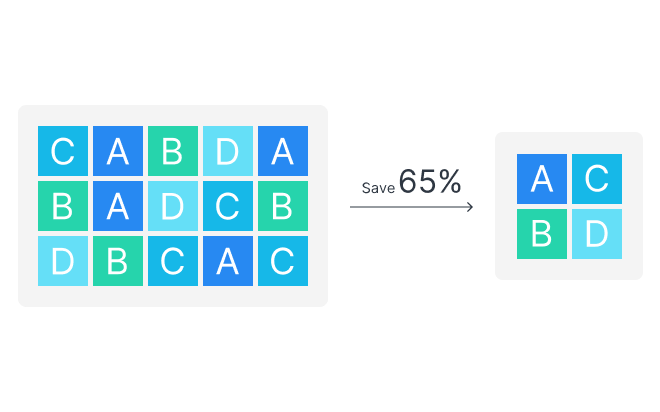
Volume-wide deduplication on all-flash arrays removes redundant data, boosting storage efficiency by up to 65% for virtual desktops and virtual machines.


Fourth Product Image


VM Block & File Storage

Certified virtualization support

Deploy and manage storage operations in various virtualization environments with certified support for VMware® vSphere™, Microsoft® Hyper-V® and Citrix® XenServer™.


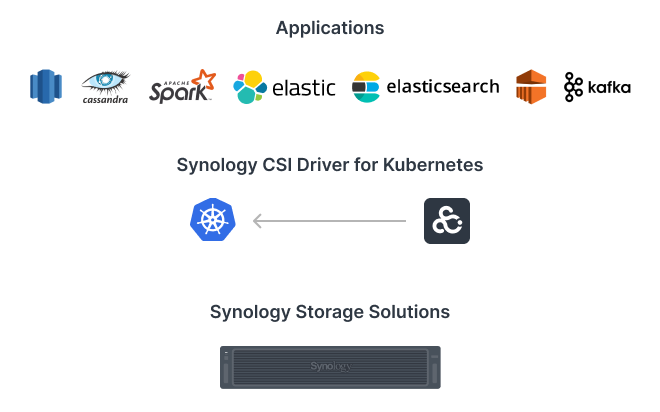
Image showing the topology of Synology server supporting Kubernetes via CSI Driver

Block storage for Kubernetes

The Synology CSI Driver for Kubernetes enables seamless provisioning and management of persistent volumes. It supports snapshots via Kubernetes native APIs and multiple access protocols, providing scalable, secure and reliable block storage for stateful Kubernetes workloads.


Fifth Product Image


Image showing the topology of a Synology system supporting deployment of containers and virtual machines via DSM packages.

Container & VM hosting

Container Manager enables easy deployment and management of Docker‑based containers on Synology systems, providing scalability and simplified management for thousands of apps. For full virtualization, Virtual Machine Manager (VMM) enables Windows®, Linux® and DSM environments to run as isolated, flexible virtual machines, giving businesses the freedom to test, develop and run diverse workloads securely on a single Synology system.7

 

Image showing icons of Synology Office, MailPlus, and Chat

Collaboration in a secure cloud, assisted by AI

Enhance workplace collaboration with Synology Office Suite. Create, edit and share documents across teams in real time. Host an on-premises mail server to provide web-based email access while maintaining full data ownership.8 Additionally, stay connected through secure one-on-one chats, public channels, encrypted private channels and group conversations. AI assistance enhances productivity across apps, with support for leading AI providers via API key integration.Learn more


Work smarter with AI

An all-in-one private cloud productivity AI solution with smart tools and privacy controls.


MailPlus

Summarize emails and generate smart replies


Document

Write and polish drafts


Slides

One-click translation of the entire presentation and annotations


Spreadsheet

Analyze data and get formula suggestions


Intuitive storage for on-site and remote teams

Provide secure and convenient cross-platform tile access, sharing and synchronization across multiple locations.

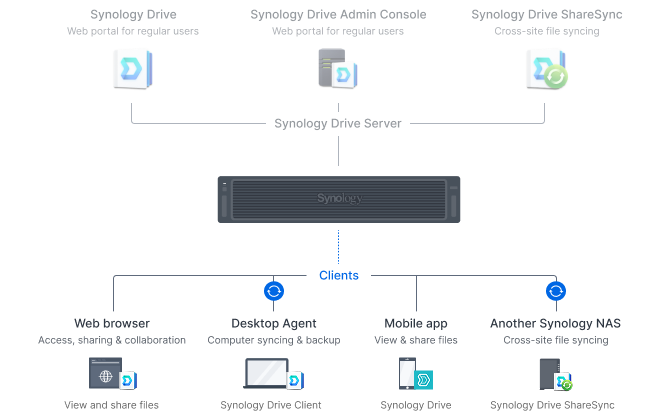
 

A secure private cloud solution for business collaboration

Image showing ways to access your Synology private cloud. Packages shown are Synology Drive, Synology Drive Client, and Synology Drive ShareSync.

A private cloud suite for file sharing

Empower your entire organization with streamlined access, sharing, and syncing of data from any location. Establish granular control over file and folder access and sharing permissions. Maintain a comprehensive audit trail of file activities and track changes to file share settings with detailed records.Learn more


Image showing ways to access your Synology private cloud. Packages shown are Synology Drive, Synology Drive Client, and Synology Drive ShareSync.

Multi-platform support

Access personal and shared data from mobile apps, desktop clients, web browsers or another Synology system. Any changes you make are automatically synced to other devices as soon as they are connected.


Efficient multi-site synchronization

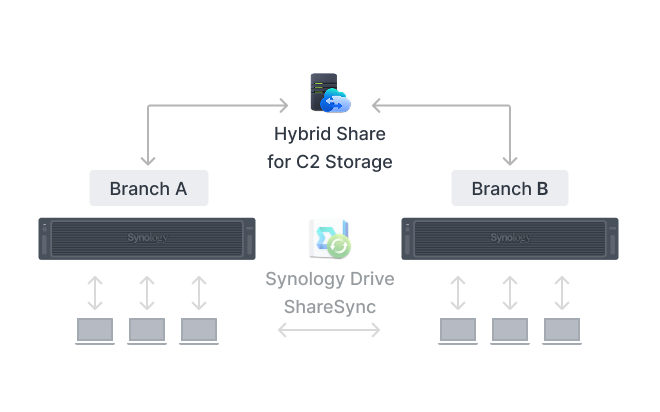
Image showing a Synology system syncing to another Synology system using Hybrid Share for C2 Storage.

Cloud-powered multi-site syncing

Empower global workflows with high-speed access to data from anywhere in your network. Our hybrid cloud solution caches frequently used files locally for rapid access, while less frequently accessed data is stored in the cloud, reducing your on-site storage requirements.9Learn more


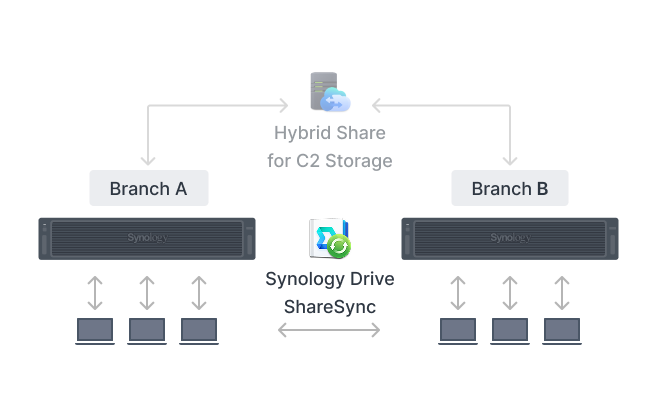
Image showing a Synology system syncing to another Synology system using Drive ShareSync

NAS-to-NAS synchronization

Automate site-to-site data synchronization for better team workflows. Options for one-way or two-way syncing keep files and folders up-to-date across every data site.Learn more

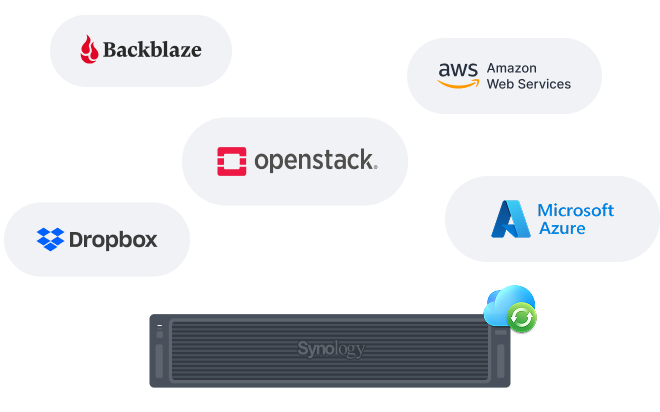
Cloud Sync is compatible with major public cloud services

Sync to public cloud providers

Connect seamlessly to public cloud services including Amazon S3, BackBlaze B2, Dropbox, Google Cloud Storage, Microsoft Azure and OpenStack Swift. Multiple protocol support, client-side encryption and customizable sync and bandwidth controls enable efficient storage management across various platforms.Learn more


Comprehensive backup solutions

Backup PCs, servers, and VMs using Active Backup for Business. Backup folders and mobile photos and videos with Synology Drive.

Endpoint, VM and NAS/SAN protection

Securely back up a wide range of systems including Windows, Mac and Linux endpoints, VMware® and Hyper-V® virtual machines and Synology servers. Expand protection to physical servers running Windows or Linux, as well as storage solutions such as Windows Server with VSS (Volume Shadow Copy Service) and agentless file-based backup via SMB. Built-in deduplication technology optimizes storage efficiency, while multi-versioning capabilities provide flexible restoration options.Learn more


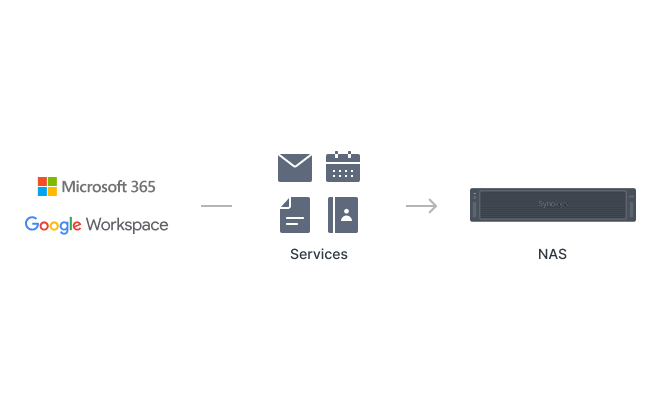
Backup Google Workspace with Active Backup for Google Workspace. Backup Microsoft 365 with Active Backup for Microsoft 365.

Microsoft 365 and Google Workspace

Centralize backups of Microsoft 365 and Google Workspace data to protect cloud data from accidents and simplify compliance with data retention policies. Schedulable backups, flexible file versioning and block-level deduplication ensure flexibility and storage and bandwidth savings.


Advanced data protection and recovery

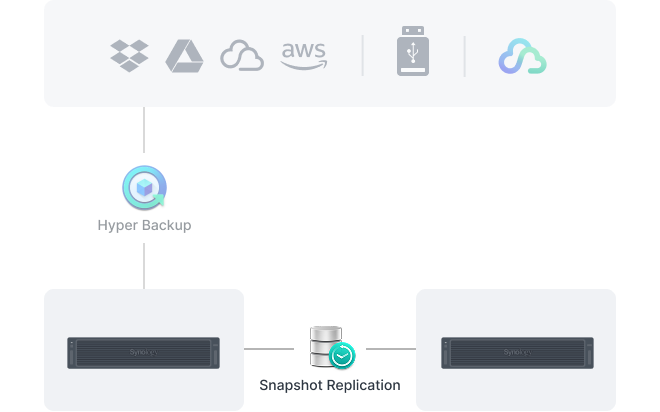
Hyper Backup can be used to backup Synology systems to various destinations.

Efficient and reliable Synology system backup

Back up entire systems or all data, applications and configurations to a wide range of storage destinations, including Synology C2 Storage.9 In case of data loss, quickly restore complete systems through bare-metal recovery or retrieve individual files as needed. Advanced features including automated scheduling, granular access controls, end-to-end encryption, data deduplication and multi-version retention empower you to create the optimal backup plan for your data deployment.Learn more


Image illustrating snapshots from a Synology system mirrored offsite using Snapshot Replication.

Tamper-proof protection with immutable snapshots

Safeguard critical LUNs and shared folders with automated immutable snapshots backed by custom retention policies. Built-in support for offsite replication further ensures robust business continuity.Learn more


Centralized monitoring and management

Monitor and manage your Synology fleet from a central interface, on-prem or in the cloud.


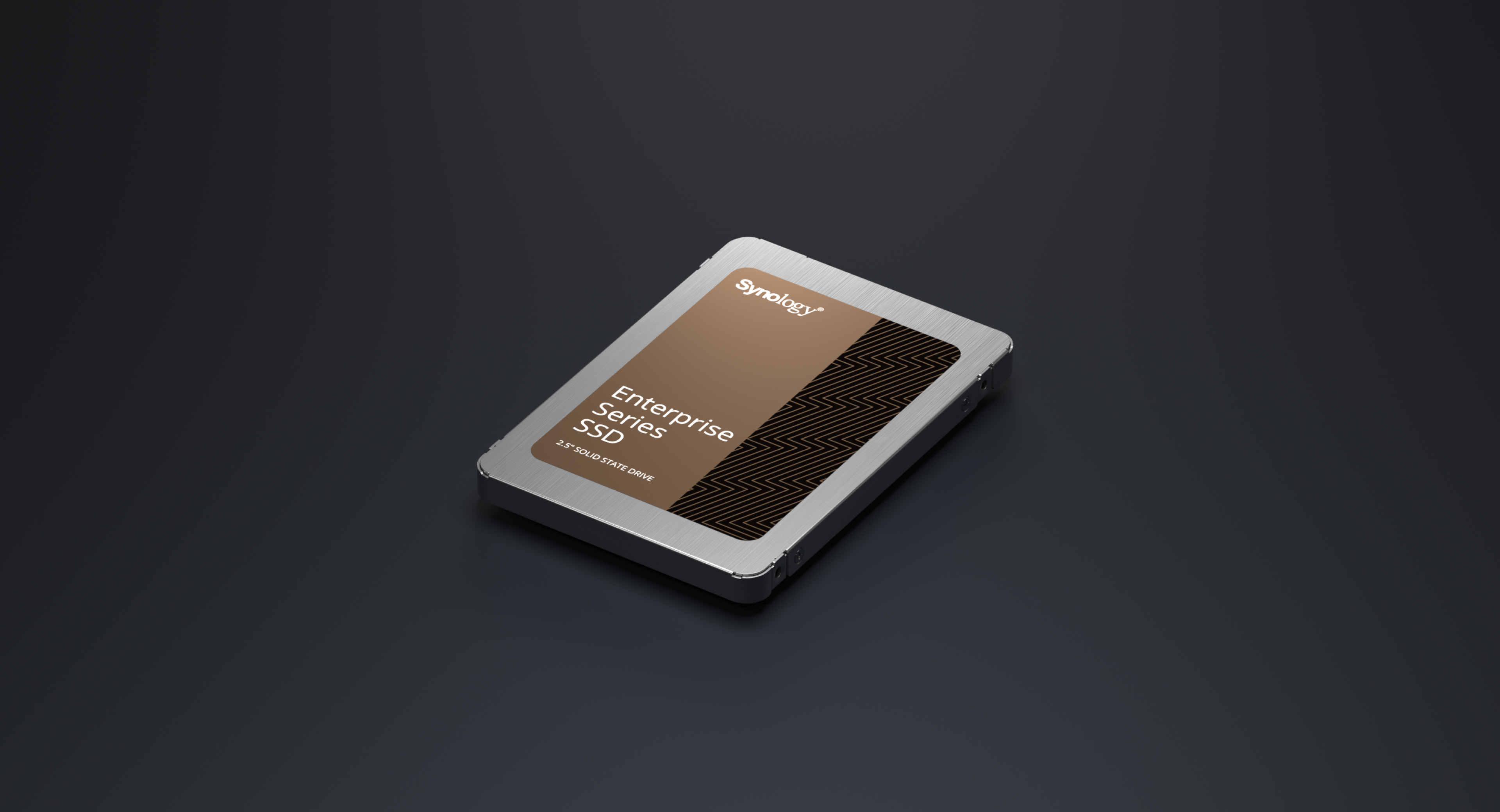
Enterprise Series 2.5" SATA

Backed by Synology drives

Leverage high sustained performance and reliability with enterprise-grade drives designed specifically for Synology systems.4 Take advantage of advanced features such as volume-wide data deduplication, lifetime analytics and seamless firmware upgrades.


Hard drives designed for Synology

See how Synology hard drives deliver reliability, consistent performance, and simplified system management through deep hardware-software integration.


Published on lastbestprice.com

Detailed Tech Specs

 
Hardware Specifications
CPU
CPU Model Intel Xeon D-1739
CPU Quantity 1
CPU Cores 8
CPU Threads 16
CPU Architecture 64-bit
CPU Frequency 3.0 (base) / 3.5 (turbo) GHz
Hardware Encryption Engine
Memory
System Memory 32 GB DDR4 ECC RDIMM
Memory Module Pre-installed 32 GB (32 GB × 1)
Total Memory Slots 6
Maximum Memory Capacity 192 GB (32 GB × 6)
Notes
  • Synology may revise pre-installed memory module specifications in response to component lifecycle and supply conditions. All revised components undergo the same rigorous validation to ensure equivalent compatibility, stability, and performance.
  • Please select Synology memory modules for optimum compatibility and reliability. Synology will not provide complete product warranty or technical support if non-Synology memory modules are used for memory expansion.
  • For information about recommended memory configurations, please check the Product Manual of your Synology product.
Storage
Drive Bays (See all supported drives)
24 × 2.5" SATA SSD
Hot Swappable Drive*
Notes
  • Compatible drives are mandatory. Please consult our compatibility list before purchasing hard drives. For more details, please refer to this article.
  • SSD cache can be enabled with select compatible SSD. See the compatibility list for model-specific support and details. SSDs are sold separately.
External Ports
RJ-45 10GbE LAN Port 2
Out-of-Band Management LAN Port 1
USB 3.2 Gen 1 Port 2
PCIe
PCIe Expansion 2 × Gen4 x8 slot (x8 link)
Appearance
Form Factor (RU) 2U
Size (Height × Width × Depth) 88 mm × 482 mm × 724 mm
Weight 15.0 kg
Rack Installation Support* 4-post 19" rack (Synology Rail Kit - RKS-02)
Notes The rail kit is sold separately
Others
System Fan 80 mm × 80 mm × 4 pcs
Fan Speed Mode
  • Full-Speed Mode
  • Cool Mode
  • Quiet Mode
Easy Replacement System Fan
Power Recovery
Noise Level 37.8 dB(A)
Scheduled Power On / Off
Wake on LAN / WAN
Power Supply Unit / Adapter 550 watts
Redundant Power Supply
AC Input Power Voltage 100V to 240V AC
Power Frequency 50/60 Hz, Single Phase
Power Consumption 122.0 watts (Access)
British Thermal Unit 416.02 BTU/hr (Access)
Notes
  • For more information on how power consumption is measured, refer to this article.
  • Noise testing was conducted with the Synology system fully installed with Synology SATA SSDs and in an idle state. Two G.R.A.S. type 40AE microphones were placed at a 1 m distance from the front and rear of the device. Background noise: 16.49-17.51 dB(A); Temperature: 24.25-25.75˚C; Humidity: 58.2-61.8%.
Temperature
Operating Temperature 0°C to 35°C (32°F to 95°F)
Storage Temperature -20°C to 60°C (-5°F to 140°F)
Operating Humidity 8% to 80% RH
Storage Humidity 5% to 95% RH
Certification
  • FCC
  • CE
  • BSMI
  • VCCI
  • RCM
  • UKCA
  • EAC
  • CCC
  • KC
  • BIS
  • UL
Warranty
5 Years
Notes The warranty period starts from the purchase date as stated on your purchase receipt. (Learn more)
Environment
RoHS Compliant
Packaging Content
  • Main Unit × 1
  • Accessory Pack × 1
  • C13 to C14 power cord × 2
  • Front Cover × 1
Optional Accessories
Notes For multi-module memory configurations, all modules must be identical and share the same model number. Check the Product Manual of your Synology product for recommended memory configurations.
 

Software Specs

DSM Specifications
Maximum Single Volume Size
  • 1 PB (64 GB memory required, for RAID 6 groups only)
  • 108 TB
Maximum Internal Volume Number 32
SSD Read/Write Cache (Determining cache size)
SSD TRIM
Storage Efficiency
RAID Group
Supported RAID Type
  • RAID F1
  • Basic
  • JBOD
  • RAID 0
  • RAID 1
  • RAID 5
  • RAID 6
  • RAID 10
RAID Migration
  • Basic to RAID 1
  • Basic to RAID 5
  • RAID 1 to RAID 5
  • RAID 5 to RAID 6
Volume Expansion with Larger HDDs
  • RAID F1
  • RAID 1
  • RAID 5
  • RAID 6
  • RAID 10
Volume Expansion by Adding a HDD
  • RAID F1
  • JBOD
  • RAID 5
  • RAID 6
Global Hot Spare Supported RAID Type
  • RAID F1
  • RAID 1
  • RAID 5
  • RAID 6
  • RAID 10
Notes
  • Certain conditions are required to support a 1 PB volume. Please refer to this article for more information.
  • Actual maximum storage pool and volume sizes depend on drive sizes used, the number of drive bays available, and the RAID configuration.
  • Usable capacity for each volume will be lower than the maximum volume size and is dependent on the filesystem and the amount of system metadata stored.
  • Storage efficiency helps reduce storage space consumption through deduplication and compression. For more information about this feature and its support requirements, please refer to this article.
Internal Drives
  • Btrfs
External Drives
  • Btrfs
  • ext4
  • ext3
  • FAT32
  • NTFS
  • HFS+
  • exFAT
File Protocol
  • SMB
  • AFP
  • NFS
  • FTP
  • WebDAV
  • Rsync
Maximum Number of SMB Connections (FSCT-Based) 5,700
Windows Access Control List (ACL) Integration
NFS Kerberos Authentication
Notes
  • Connection value of this model is tested with Synology SATA SSD fully populated and up to four 10GbE network ports
  • Models with expandable memory are tested with the maximum supported quantity installed.
  • SMB performance was evaluated using Microsoft File Server Capacity Tool (FSCT) version 1.3, with the following configuration:
    • Test workload: HomeFolder scenario provided by the FSCT tool
    • Test duration: 600 seconds
    • Domain controller & FSCT controller: Windows Server 2022
    • FSCT clients: 8 × Windows 10 machines
    • SMB feature: Directory leasing enabled
Maximum Local User Accounts 10,240
Maximum Local Groups 512
Maximum Shared Folder 512
Maximum Shared Folder Sync Tasks 32
Hybrid Share Folder Number 30
Data & Folder Backup
Entire System Backup
Synology High Availability
Syslog Events per Second 3,000
Virtualization
VMware vSphere ESXi 8.0 U2, ESXi 8.0 U1, ESXi 8.0, ESXi 7.0 U3, ESXi 7.0 U2, ESXi 7.0 U1, ESXi 7.0, ESXi 6.7 U3, ESXi 6.7 U2, ESXi 6.7 U1, ESXi 6.7, ESXi 6.5 U3, ESXi 6.5 U2, ESXi 6.5 U1, ESXi 6.5
Microsoft Hyper-V Windows Server 2025, Windows Server 2022
Citrix XenServer XenServer 8.4, XenServer 8, Citrix Hypervisor 8.2 LTSR CU1
OpenStack Cinder
Supported Protocols SMB1 (CIFS), SMB2, SMB3, NFSv3, NFSv4, NFSv4.1, NFS Kerberized sessions, iSCSI, Fibre Channel, HTTP, HTTPs, FTP, SNMP, LDAP, CalDAV
Supported Browsers
  • Chrome
  • Firefox
  • Edge
  • Safari
Supported Language English, Deutsch, Français, Italiano, Español, Dansk, Norsk, Svenska, Nederlands, Русский, Polski, Magyar, Português do Brasil, Português Europeu, Türkçe, Český, ภาษาไทย, 日本語, 한국어, 繁體中文, 简体中文
Notes For an updated list of supported browser versions, check the DSM Technical Specifications.
Synology AI Console
Third-Party AI Model Integration
Maximum De-Identification Rate 5,700 words per second
Notes
  • De-identification performance measurement: Filters for Credit Card Numbers, IBAN, Individual Taxpayer Identification Number, SSN, and Names applied to a 4,355-word English text.
  • To enable de-identification, your device must have at least 8 GB of memory and Container Manager installed.
Maximum Number of Users 500
Notes
  • Measured with simulated users, each with an average record of 20,000 messages, emojis, or stickers. The required server response time is below ten seconds.
  • Models with expandable memory are tested with the maximum supported quantity installed.
Maximum iSCSI Target Number 256
Maximum LUN 512
LUN Clone/Snapshot, Windows ODX
Free Email Accounts 5 (Additional accounts require purchase of licenses)
Maximum Number of Users 12,000
Notes
  • The suggested maximum number of users is based on the following workload: 20% of users with a 20,000 item mailbox randomly performing actions and receiving 240 emails per day, and 80% of users receiving 20 emails per day. Learn more
  • Models with SSD support are tested with a single SSD volume.
  • Models with expandable memory are tested with the maximum supported quantity installed. Learn more about memory requirements.
  • Operating in high-availability mode will incur additional overhead.
  • Features enabled during evaluation: anti-spam, anti-virus, DNSBL, greylist, content scanning, and full-text search (English).
Maximum Snapshots per Shared Folder 1,024
Maximum Snapshots per LUN 256
Maximum Snapshots per System 65,536
Maximum Replication Tasks for Shared Folders 128
Maximum Replication Tasks for LUNs 64
Maximum Replication Tasks per System 128
Default Licenses 2 (Additional cameras require purchase of licenses)
Maximum IP Cameras and Total FPS (H.264)
  • 1080p: 280 channels, 2800 FPS
  • 3M: 200 channels, 2000 FPS
  • 5M: 120 channels, 1200 FPS
  • 4K: 85 channels, 850 FPS
Maximum IP Cameras and Total FPS (H.265)
  • 1080p: 285 channels, 8550 FPS
  • 3M: 280 channels, 2800 FPS
  • 5M: 200 channels, 2000 FPS
  • 4K: 120 channels, 1200 FPS
Notes
  • Performance figures are obtained from testing conducted with the device fully populated with drives, with their default memory configuration, and under a continuous recording setup. Actual system capabilities may vary based on configuration, drive performance, enabled features, and the presence of additional workloads.
  • Use NVR Selector to quickly find a suitable model based on your requirements.
  • The number of video channels that can be viewed simultaneously is double the maximum number of cameras for the same codec and resolution.
  • The values above are based on testing with RTSP streaming. If SRTP is enabled for all cameras, overall performance will decrease to 70% of the stated figures.
Maximum Number of Users 10,200
Maximum Number of Hosted Files 100,000,000 (applies to files indexed or hosted by Synology Drive. For file access through other standard protocols, refer to the File Services section above)
Notes
  • The suggested maximum number of users is based on the following workload: 20% of users randomly perform file operations (upload, download, move, and delete), and 80% of users are logged in but idle. Learn more
  • Models with SSD support are tested with a single SSD volume.
  • Models with expandable memory are tested with the maximum supported quantity installed.
  • Exceeding the recommended numbers above will not block application operations, but may result in longer response time.
  • Btrfs file system and non-encrypted shared folders were used during the aforementioned testing.
Maximum Number of Users 10,000
Notes
  • The suggested maximum number of users is based on the following workload: 20% of users are executing random actions at an average of 30-second intervals, and 80% of users are logged in and viewing a file. Learn more
  • Models with SSD support are tested with a single SSD volume.
  • Models with expandable memory are tested with the maximum supported quantity installed.
  • Client performance may affect maximum simultaneous editing users. Client PCs used for testing: Intel Core i3-3220 / 8GB RAM
Recommended Virtual Machine Instances 16 (Learn more)
Recommended Virtual DSM Number (Licenses required) 16 (including 1 Free License)
Notes The specifications vary depending on system configuration and memory size.
Maximum Connections 32
Notes:
  1. Model specifications are subject to change without prior notice.
  2. The figures are based on Synology internal testing. Each performance test is done individually. No other services or applications are processed at the same time.
  3. The actual performance may be lower than lab testing figure due to differences in server configuration, deployment, and the number of active operations.
  4. If usage requirements exceed the specifications above, please contact our regional partners for professional advice.
 
Published on lastbestprice.com

Reviews

There are no reviews yet.

Be the first to review “Synology Flash Station 3420 Intel Xeon D-1739, 32GB, 2U, 24 Bays – FS3420”