




Shop by Category




Special Promotion
Special Promotion


Special Promotion
Brand: Synology
Call for Price
Call for Price
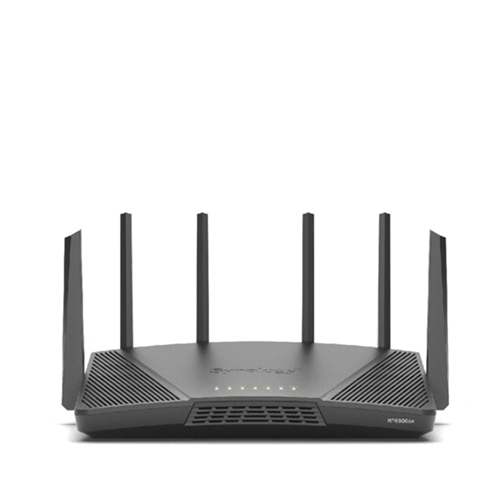
For urgent delivery, please contact sales before ordering. Orders usually ship as per the estimated delivery date in certain case backorders may take 4–12 weeks. Images are for illustration only and may differ from the actual item.
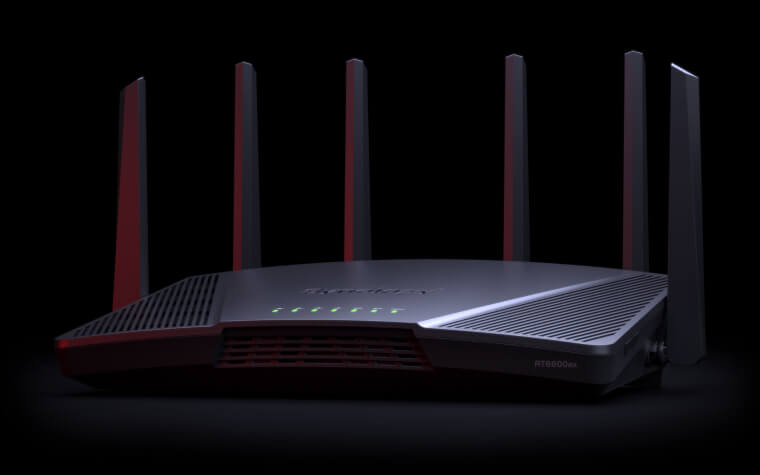
Tri-band Wi-Fi for easy distribution of your devices between radios, optimizing range and performance while avoiding bottlenecks.
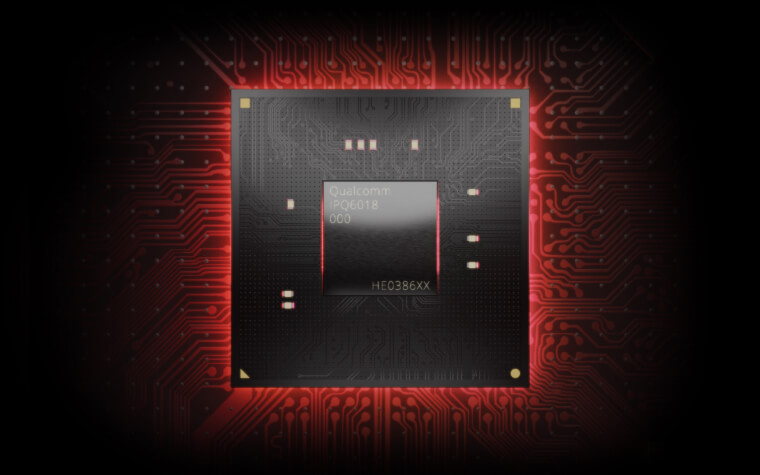
Quad-core 1.8 GHz processor for snappy management and fast connection speeds, even with multiple devices connected and all features enabled.
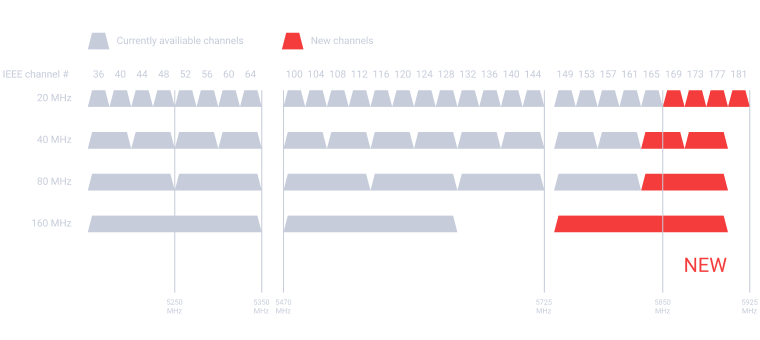
Support for the new 5.9 GHz band, resulting in more dependable high-speed networks using clearer 80 and 160 MHz channels.1
2.5GbE port configurable for WAN or LAN use supports superfast internet plans or high-performance devices.


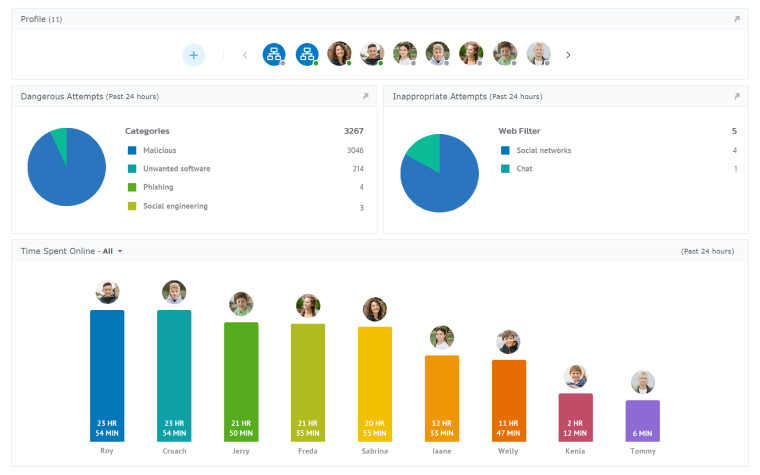
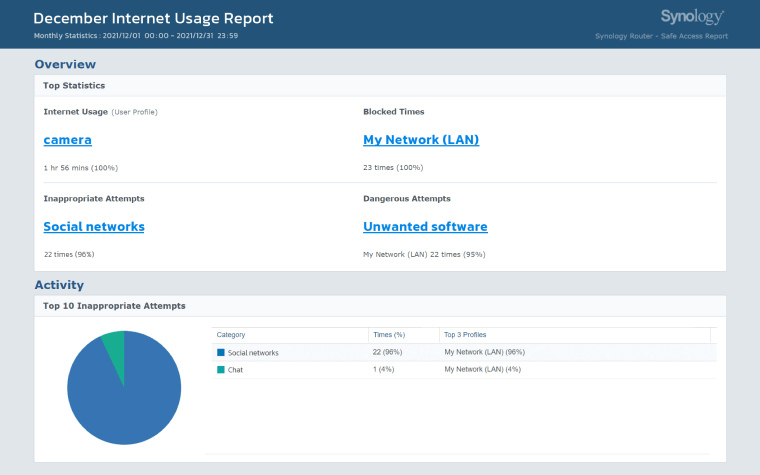
With safe access to the internet using built-in security and parental controls
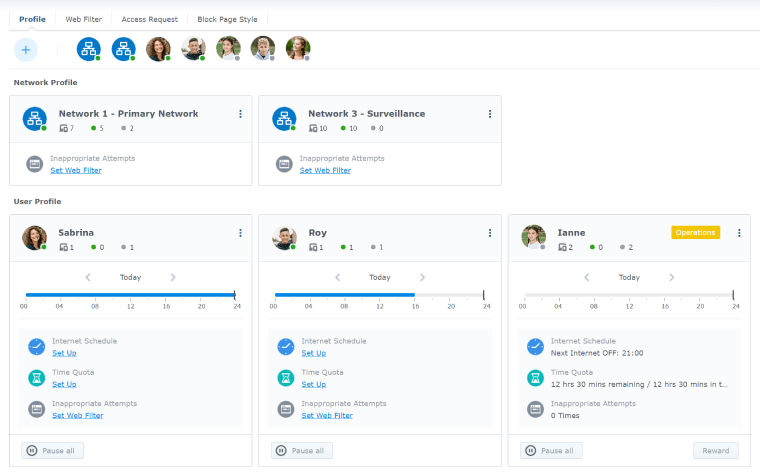
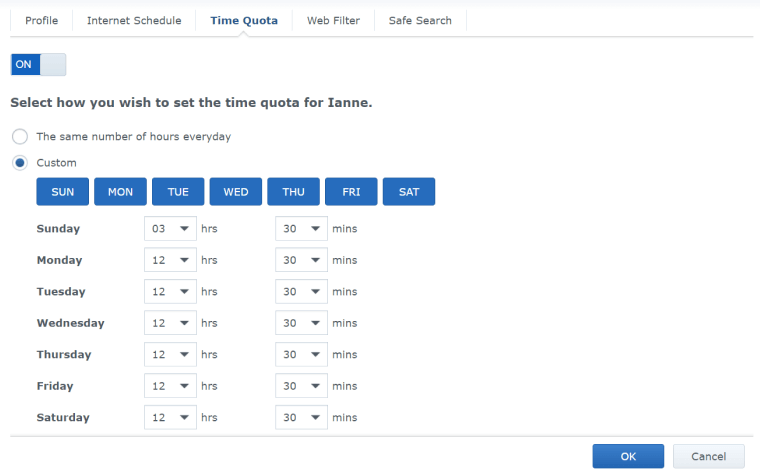
Keep offensive content out of reach and limit internet access with schedules or a quota-based system.

Traffic control helps you ensure an optimal experience for everyone. Configure limits per device or based on the applications running on each device. Learn more

Your primary network is probably where most of your devices reside: laptops, tablets, smartphones, and smart TVs or speakers. Using Safe Access, you can easily create a default network profile that blocks malicious content and applies more restrictive filtering on shopping, adult, or other offensive content — ideal to manage how children spend their time online.
Need to share internet access with visiting friends or with the neighbors? Synology SRM enables you to easily isolate guest networks and configure access for the occasional connection to your Chromecast or AirPlay device. Apply more stringent bandwidth constraints and web filtering to ensure your network and connection quality are not affected by compromised devices.
Smart sensors and other IoT devices are convenient, but often easy to compromise because they receive less frequent updates. Keep these devices separated from your primary network to prevent them from providing backdoors for potential malicious attacks. For more advanced management, configure one-way firewall rules to allow limited access for specific devices.
Whether you are running your own business or just have a well-equipped studio or home lab setup, you can isolate your servers and devices to help prevent interference or security issues if your network is hosting external resources or is often accessed by remote colleagues.
Keep IP cameras and devices storing security footage isolated, preventing unauthorized access should one of your other networks be hacked. One-way firewall rules allow you to conveniently manage these sensitive devices without compromising security, while independent traffic control rules ensure that surveillance tasks never get interrupted or slowed down.
Not at home? No problem. Connect easily through Synology DDNS, QuickConnect, or static IP/FQDN to view and manage your Synology router.
Create profiles, monitor usage, freeze internet access, and approve requests for access to specific pages. Be in control even when not at home.
Configure wireless networks directly from your smartphone and create QR codes for easy sharing.
Traffic control and monitoring, port forwarding, and many other essential features are conveniently integrated into the mobile app.
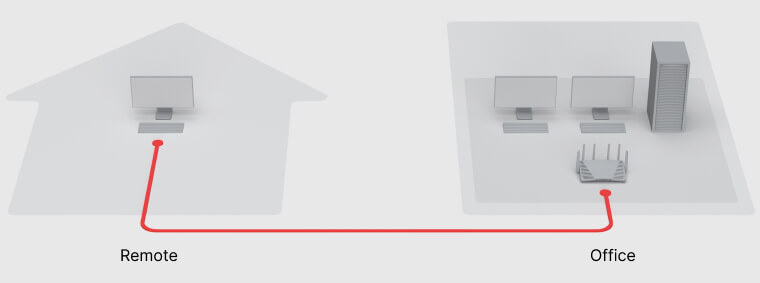
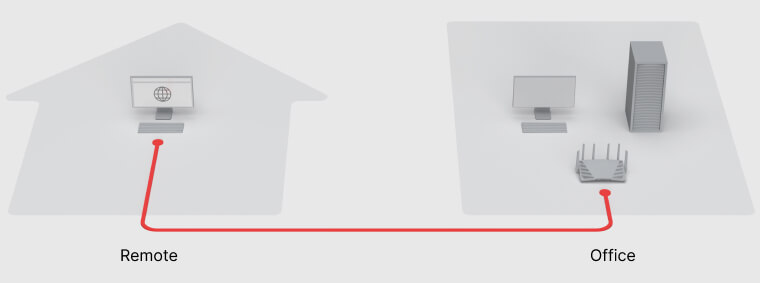
Convenient client-free connection to intranet-only websites. Built-in RDP/VNC client functionality enables remote operation of PCs and servers on your network.
|
CPU |
Quad core 1.8 GHz | |
|---|---|---|
|
Hardware Acceleration Engine |
Layer 4 / Layer 7 | |
|
Memory |
1 GB DDR3 | |
|
Antenna Type |
|
|
|
LAN Port |
|
|
|
WAN Port |
|
|
|
External Ports |
USB 3.2 Gen 1 x 1 (5V, 0.9A power output) | |
|
IEEE 802.11ax |
|
|
| Notes | 160 MHz is not supported in Canada and Australia. | |
|
Wi-Fi Encryption |
WPA/WPA2-Personal, WPA/WPA2-Enterprise, WPA2/WPA3-Personal, WPA3-Personal/Enterprise, Wi-Fi Enhanced Open (OWE) | |
|
Button and Switch |
WPS, Power, Reset, Wi-Fi On/Off | |
|
Size (Height x Width x Depth) |
175 mm x 320 mm x 200 mm | |
| Notes | Antennas in upright position | |
|
Weight |
1.6 kg | |
|
Temperature |
Operating Temperature | 5°C to 40°C (40°F to 104°F) |
| Storage Temperature | -20°C to 60°C (-5°F to 140°F) | |
| Relative Humidity | 5% to 95% RH | |
|
Certification |
|
|
|
Wi-Fi Certification |
|
|
|
Warranty |
2 Years | |
| Notes | The warranty period starts from the purchase date as stated on your purchase receipt. (Learn more) | |
|
AC Input Power Voltage |
100 V to 240 V AC | |
|
Power Frequency |
50/60 Hz, Single Phase | |
|
Power Consumption |
11.11 W (Access) 6.77 W (Idle) | |
|
Environment |
RoHS Compliant | |
|
Packaging Content |
|
|
|
Wireless |
Wi-Fi MAC Address Filter | |
|---|---|---|
| Maximum MAC Filters | 64 | |
| Maximum devices on per MAC filter | 256 | |
| Seamless Roaming | 802.11k/v/r standard support | |
| Beamforming | ||
| DFS | ||
| Maximum Number of Wi-Fi SSID | 15 | |
| Schedulable Wi-Fi | ||
| Guest Network |
|
|
| WPS 2.0 (Wi-Fi Protected Setup 2.0) | ||
| 3G / 4G Dongle & Tethering (Learn more) | ||
| Primary Wi-Fi Point | ||
| Wi-Fi Point | ||
| Recommended Maximum Number of Wi-Fi Points |
|
|
| Maximum Connected Devices* | 200 | |
| *Notes |
|
|
|
Network |
Internet Connection |
|
| Operating Mode |
|
|
| DMZ | ||
| IPv6 | IPv6 DHCP server/client, DS-Lite, 6in4, 6to4, 6rd, Dual-Stack, DHCPv6-PD, IPv6 Relay, FLET's IPv6 | |
| DHCP | Server/client mode, client list, MAC address reservation | |
| Maximum DHCP Reservations | 500 | |
| LAN / WLAN IGMP Snooping | ||
| Network Address Translation (NAT) | ||
| PPPoE relay | ||
| Policy route | ||
| Static route | ||
| Maximum IPv4 Static Routes | 100 | |
| Maximum IPv6 Static Routes | 100 | |
| Diagnosis Tools |
|
|
| NAT Loopback (Hairpinning) | ||
|
VLAN |
Maximum Number of Network Segmentation | 5 |
| Trunk | ||
|
Port Forwarding |
Maximum Port Forwarding Rules | 96 |
| Maximum UPnP Rules | 96 | |
|
Port Triggering |
Maximum Port Triggering Rules | 64 |
| Minimum Port Triggering Timeout | 30s | |
| Maximum Port Triggering Timeout | 3600s | |
|
VPN |
|
|
|
Traffic Control |
Internet Ban, Device Speed & Priority | |
| Application Layer (L7) Quality of Service (QoS) | ||
| Maximum Device Rules | 64 | |
| Maximum Application Rules per Device | 32 | |
|
Traffic Monitor |
Live View | |
| Historical Statistics | Daily, Weekly, Monthly, Annual | |
| Website History | ||
| Application Detection | ||
|
Traffic Report |
Country Auto Update | |
| Schedulable | ||
| Traffic Analysis Period | Daily, Weekly, Monthly, Annual | |
| Export Formats | .CSV, .HTML | |
|
Add-on Packages view the complete package list |
||
|
Safe Access |
User Profile | 15 |
| Network Profile | 5 | |
| Customized Internet Schedule | ||
| Time Quota | ||
| IPv4 / IPv6 DNS-based Web Filter |
|
|
| Customized Allow / Block List |
|
|
| Pause Internet | ||
| Reward | ||
| Log | ||
| Report | ||
| Safe Search | Bing, Google, YouTube, Duckduckgo | |
| Threat Intelligence Database | Support in IPv4 & IPv6 | |
| Google Safe Browsing | Support in IPv4 & IPv6 | |
| Database Auto Update | Threat Intelligence Database, Google Safe Browsing, DNS-based web filter | |
|
Threat Prevention |
Greatly enhance the security of your router, designed to safeguard your network against internet threats | |
|
VPN Plus Server |
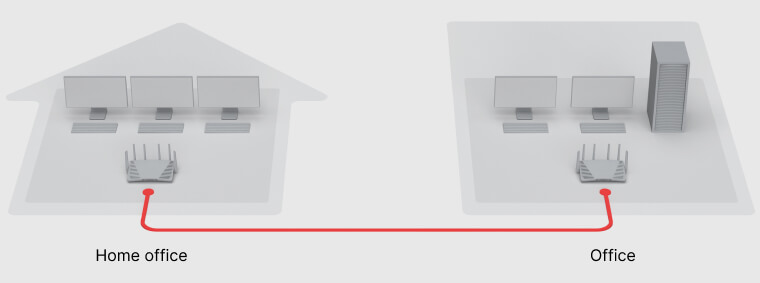
Easily create and manage secure VPN access through a web browser or client. Supports various VPN services — Site-to-Site VPN, WebVPN, SSL VPN, Remote Desktop, SSTP, OpenVPN, L2TP over IPSec, and PPTP | |
| Maximum Client VPN Access License | 40 | |
| Site-to-Site VPN | ||
| Maximum Site-to-Site VPN Tunnels | 20 | |
| Remote Desktop (RDP + VNC) | 5 | |
| Connection List | ||
| Log | ||
| Report | ||
|
DNS Server |
Helps users find and translate domain names into IP addresses | |
|
Download Station |
Supported download protocols: BT/HTTP/FTP/NZB/eMule | |
| Maximum Concurrent Download Tasks | 20 | |
| Maximum Concurrent BT Download Tasks | 20 | |
|
Media Server |
|
|
|
RADIUS Server |
Provides centralized authentication, authorization, and accounting for wireless network access | |
|
Mobile Apps |
||
|
Supported Mobile Apps |
DS router (Android/iOS) |
|
| VPN Plus (Android/iOS) | ||
| DS get (Android) | ||
| DS file (Android/iOS) | ||
|
Management |
||
|
Operating System |
Synology Router Manager (SRM) | |
|
Anywhere Access to SRM |
Synology QuickConnect & Dynamic DNS (DDNS) | |
|
Security |
Firewall/SPI Firewall, DoS Protection, VPN Pass-through (PPTP, IPSec, L2TP), Auto block, SSL certificate, Security Advisor, two-factor authentication | |
|
Wake on LAN (WOL) |
WOL over QuickConnect | |
| Maximum Connected Devices | 100 | |
|
Notification |
Email, SMS, push service (via DS router) | |
|
Printer Server |
Maximum printer: 1 | |
|
Others |
Free OS Upgrade | |
| SSH | ||
| SNMP | ||
| Configuration Backup & Restore | ||
| User Account Management | ||
|
USB/SD Card File Service |
||
| EXT4, FAT, NTFS, HFS+ | ||
|
Access Support |
|
|
|
Protocol Support |
Windows file service (CIFS), Mac file service (AFP), FTP/FTPS, WebDAV | |
|
Others |
Apple Time Machine | |
| Shared Folder Privileges | ||
| Storage Hibernation | ||










Reviews
There are no reviews yet.