




Shop by Category




Special Promotion
Special Promotion

Special Promotion

Call for Price
For urgent delivery, please contact sales before ordering. Orders usually ship as per the estimated delivery date in certain case backorders may take 4–12 weeks. Images are for illustration only and may differ from the actual item.

Up to 3,000 Mbps wireless speeds1

Seamless whole-home Wi-Fi with other Synology routers

Comprehensive parental controls

Support for superfast internet or high-performance devices
“Superior throughput performance, wide signal coverage, and the SRM operating system make the Synology WRX560 an excellent choice among dual-band routers. It comes with strong parental control and network security software and is equipped with a multi-gig WAN/LAN port, and you can use it as part of a whole-home mesh configuration.” Learn more
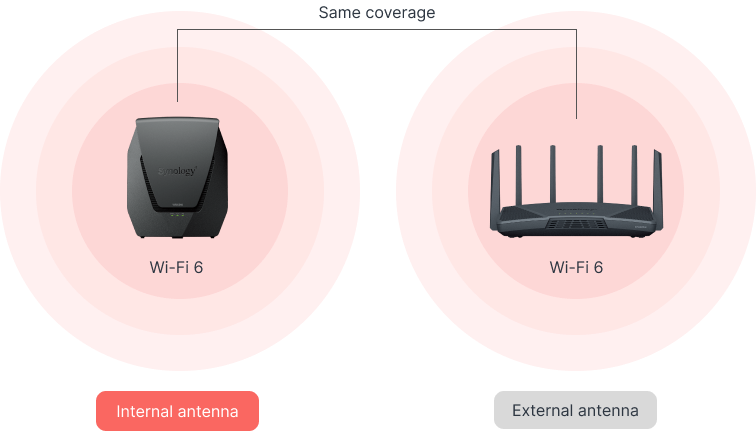
Wi-Fi 6 technology combined with high-performance internal antennas bring higher speeds to more devices at greater ranges, all in a compact design.
Say goodbye to Wi-Fi dead zones. Combine multiple Synology routers (WRX560 or other) for consistent and high-speed whole-home coverage under a single Wi-Fi name.
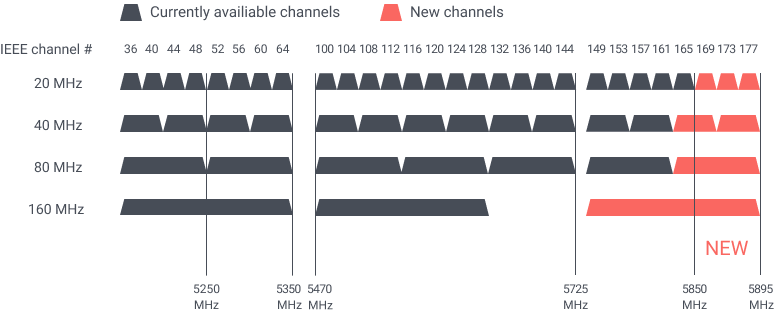
5.9 GHz band support provides access to an interference-free band for higher potential connection speeds2 or dedicated wireless backhaul.
Smart Connect automatically steers your devices to the Wi-Fi band that provides the best signal and speed.
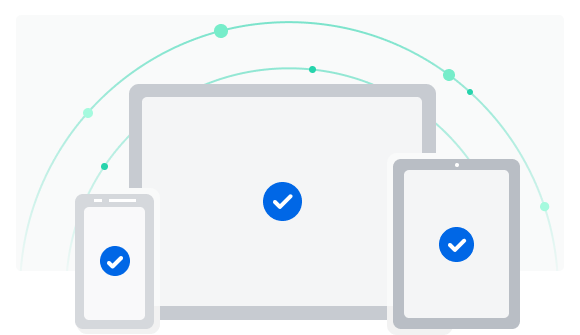
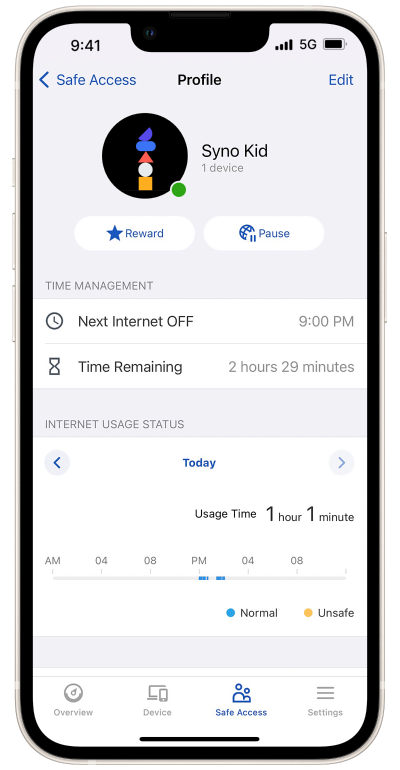
Create profiles for family members and assign devices to them for easy internet access management and monitoring of devices connected to your local network.
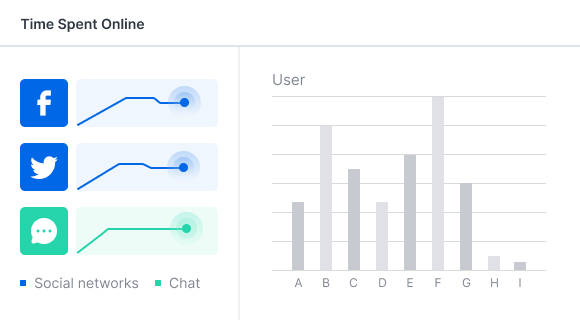
Gain insight into your kids’ activities online, such as the daily amount of time spent on the Web or whether they have attempted to visit inappropriate websites.
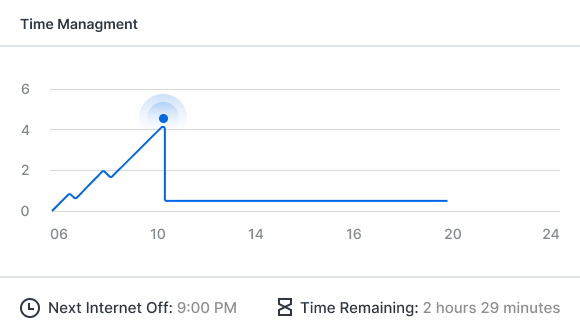
Set internet use quotas or restrict internet access to certain hours for each device your child owns. Define how much time can be spent on laptops, smartphones, and game consoles.
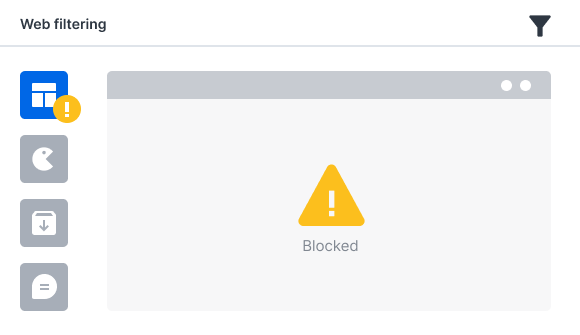
Prevent children from accessing adult, violent, gaming, and social networking websites, as well as explicit search results. Apply filters flexibly, for example, restricting social media during homework hours.
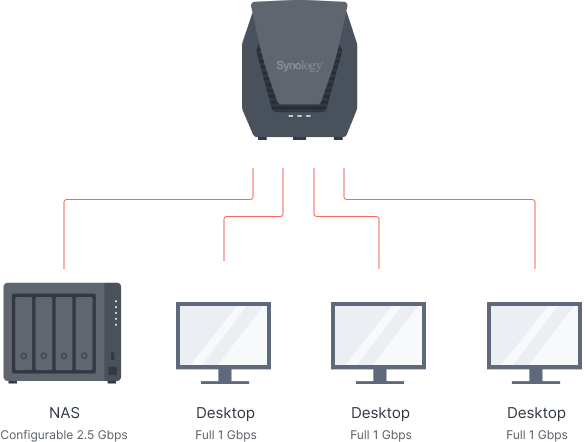
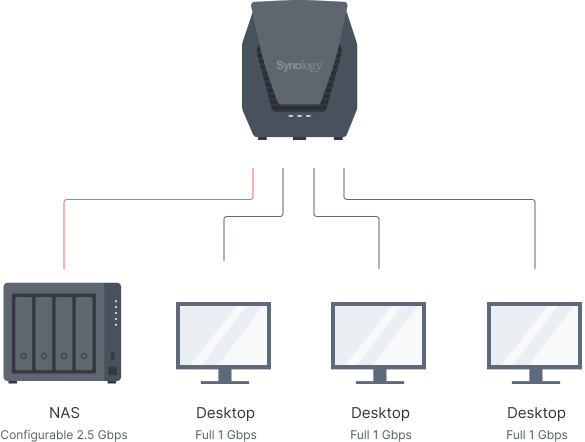
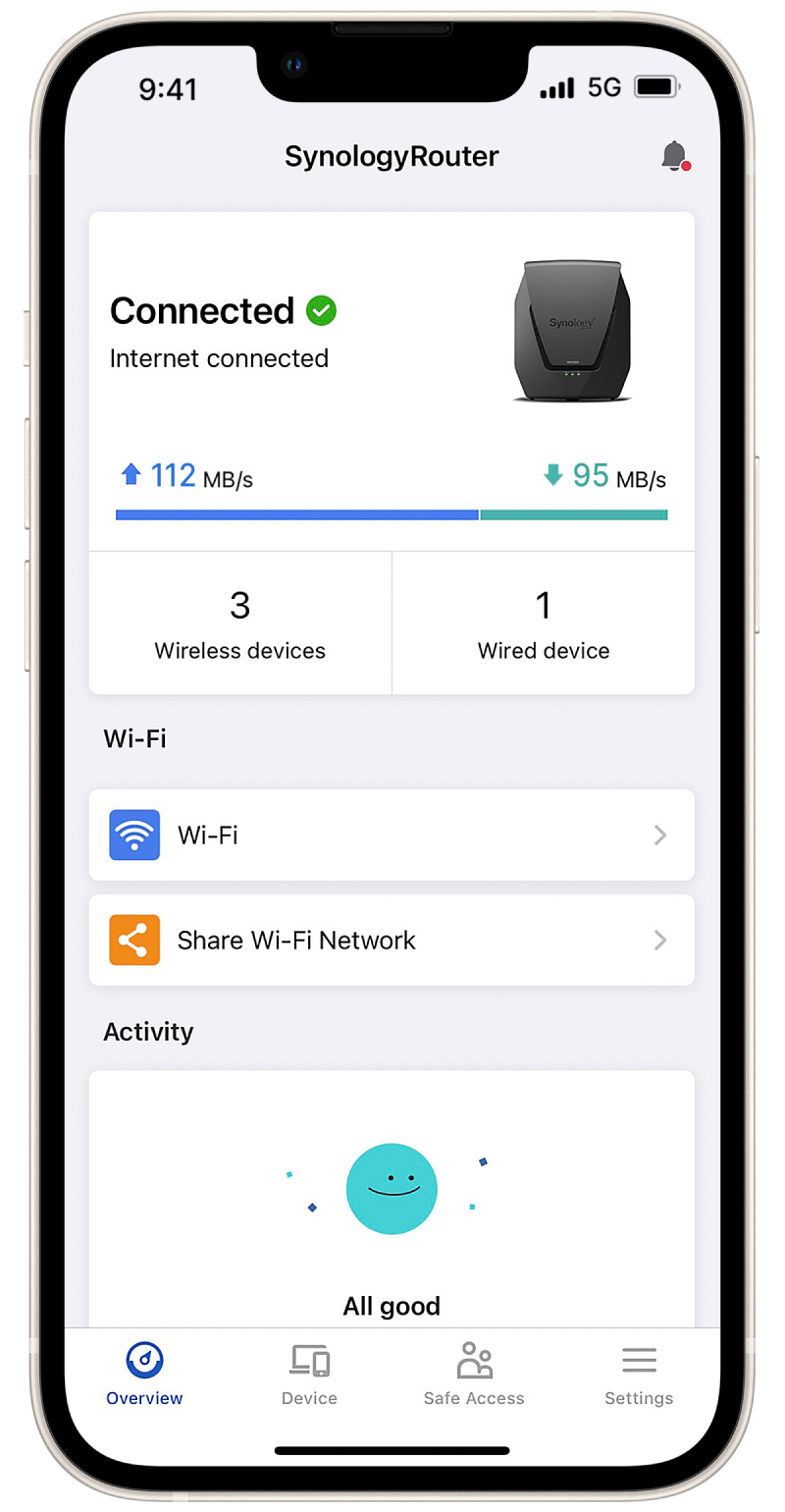
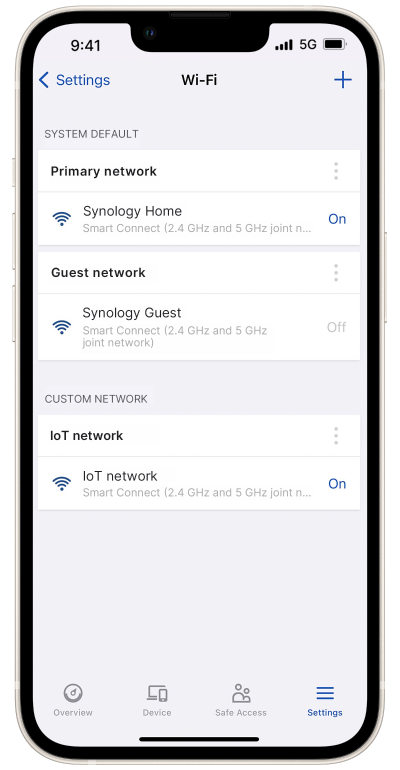


Isolate networks or set access rules to limit connectivity to and from vulnerable devices.
|
CPU |
Quad core 1.4 GHz | |
|---|---|---|
|
Hardware Acceleration Engine |
Layer 4 / Layer 7 | |
|
Memory |
512 MB DDR4 | |
|
Antenna Type |
|
|
|
LAN Port |
|
|
|
WAN Port |
|
|
|
External Ports |
USB 3.2 Gen 1 x 1 (5V, 0.9A power output) | |
|
IEEE 802.11ax |
|
|
|
Wi-Fi Encryption |
WPA/WPA2-Personal, WPA/WPA2-Enterprise, WPA2/WPA3-Personal, WPA3-Personal/Enterprise, Wi-Fi Enhanced Open (OWE) | |
|
Button and Switch |
WPS, Power, Reset, Wi-Fi On/Off | |
|
Size (Height x Width x Depth) |
233 mm x 194 mm x 66 mm | |
|
Weight |
1.35 kg | |
|
Temperature |
Operating Temperature | 5°C to 40°C (40°F to 104°F) |
| Storage Temperature | -20°C to 60°C (-5°F to 140°F) | |
| Relative Humidity | 5% to 95% RH | |
|
Certification |
|
|
|
Wi-Fi Certification |
|
|
|
Warranty |
2 Years | |
| Notes | The warranty period starts from the purchase date as stated on your purchase receipt. (Learn more) | |
|
AC Input Power Voltage |
100 V to 240 V AC | |
|
Power Frequency |
50/60 Hz, Single Phase | |
|
Power Consumption |
10.80 W (Access) 7.94 W (Idle) | |
|
Environment |
RoHS Compliant | |
|
Packaging Content |
|
|
|
Wireless |
Wi-Fi MAC Address Filter | |
|---|---|---|
| Maximum MAC Filters | 64 | |
| Maximum devices on per MAC filter | 256 | |
| Seamless Roaming | 802.11k/v/r standard support | |
| Beamforming | ||
| DFS | ||
| Maximum Number of Wi-Fi SSID | 10 | |
| Schedulable Wi-Fi | ||
| Guest Network |
|
|
| WPS 2.0 (Wi-Fi Protected Setup 2.0) | ||
| 3G / 4G Dongle & Tethering (Learn more) | ||
| Primary Wi-Fi Point | ||
| Wi-Fi Point | ||
| Recommended Maximum Number of Wi-Fi Points |
|
|
| Maximum Connected Devices* | 150 | |
| *Notes |
|
|
|
Network |
Internet Connection |
|
| Operating Mode |
|
|
| DMZ | ||
| IPv6 | IPv6 DHCP server/client, DS-Lite, 6in4, 6to4, 6rd, Dual-Stack, DHCPv6-PD, IPv6 Relay, FLET's IPv6 | |
| DHCP | Server/client mode, client list, MAC address reservation | |
| Maximum DHCP Reservations | 500 | |
| LAN / WLAN IGMP Snooping | ||
| Network Address Translation (NAT) | ||
| PPPoE relay | ||
| Policy route | ||
| Static route | ||
| Maximum IPv4 Static Routes | 100 | |
| Maximum IPv6 Static Routes | 100 | |
| Diagnosis Tools |
|
|
| NAT Loopback (Hairpinning) | ||
|
VLAN |
Maximum Number of Network Segmentation | 5 |
| Trunk | ||
|
Port Forwarding |
Maximum Port Forwarding Rules | 64 |
| Maximum UPnP Rules | 64 | |
|
Port Triggering |
Maximum Port Triggering Rules | 32 |
| Minimum Port Triggering Timeout | 30s | |
| Maximum Port Triggering Timeout | 3600s | |
|
VPN |
|
|
|
Traffic Control |
Internet Ban, Device Speed & Priority | |
| Application Layer (L7) Quality of Service (QoS) | ||
| Maximum Device Rules | 64 | |
| Maximum Application Rules per Device | 32 | |
|
Traffic Monitor |
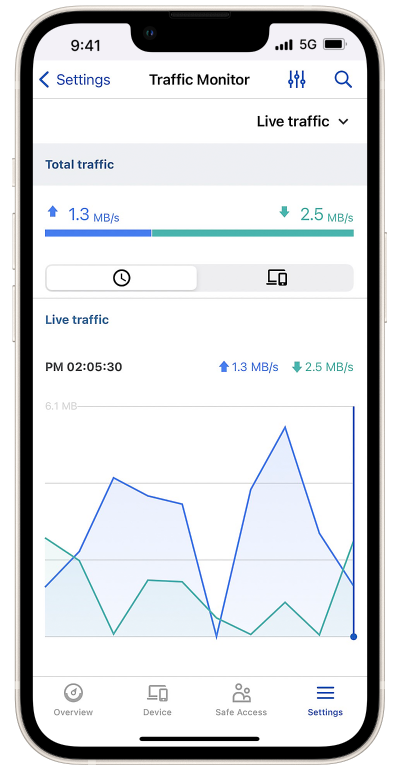
Live View | |
| Historical Statistics | Daily, Weekly, Monthly, Annual | |
| Website History | ||
| Application Detection | ||
|
Traffic Report |
Country Auto Update | |
| Schedulable | ||
| Traffic Analysis Period | Daily, Weekly, Monthly, Annual | |
| Export Formats | .CSV, .HTML | |
|
Add-on Packages view the complete package list |
||
|
Safe Access |
User Profile | 15 |
| Network Profile | 5 | |
| Customized Internet Schedule | ||
| Time Quota | ||
| IPv4 / IPv6 DNS-based Web Filter |
|
|
| Customized Allow / Block List |
|
|
| Pause Internet | ||
| Reward | ||
| Log | ||
| Report | ||
| Safe Search | Bing, Google, YouTube, Duckduckgo | |
| Threat Intelligence Database | Support in IPv4 & IPv6 | |
| Google Safe Browsing | Support in IPv4 & IPv6 | |
| Database Auto Update | Threat Intelligence Database, Google Safe Browsing, DNS-based web filter | |
|
Threat Prevention |
Greatly enhance the security of your router, designed to safeguard your network against internet threats | |
|
VPN Plus Server |
Easily create and manage secure VPN access through a web browser or client. Supports various VPN services — Site-to-Site VPN, WebVPN, SSL VPN, Remote Desktop, SSTP, OpenVPN, L2TP over IPSec, and PPTP | |
| Maximum Client VPN Access License | 20 | |
| Site-to-Site VPN | ||
| Maximum Site-to-Site VPN Tunnels | 10 | |
| Remote Desktop (RDP + VNC) | 3 | |
| Connection List | ||
| Log | ||
| Report | ||
|
DNS Server |
Helps users find and translate domain names into IP addresses | |
|
Download Station |
Supported download protocols: BT/HTTP/FTP/NZB/eMule | |
| Maximum Concurrent Download Tasks | 20 | |
| Maximum Concurrent BT Download Tasks | 20 | |
|
Media Server |
|
|
|
RADIUS Server |
Provides centralized authentication, authorization, and accounting for wireless network access | |
|
Mobile Apps |
||
|
Supported Mobile Apps |
DS router (Android/iOS) |
|
| VPN Plus (Android/iOS) | ||
| DS get (Android) | ||
| DS file (Android/iOS) | ||
|
Management |
||
|
Operating System |
Synology Router Manager (SRM) | |
|
Anywhere Access to SRM |
Synology QuickConnect & Dynamic DNS (DDNS) | |
|
Security |
Firewall/SPI Firewall, DoS Protection, VPN Pass-through (PPTP, IPSec, L2TP), Auto block, SSL certificate, Security Advisor, two-factor authentication | |
|
Wake on LAN (WOL) |
WOL over QuickConnect | |
| Maximum Connected Devices | 100 | |
|
Notification |
Email, SMS, push service (via DS router) | |
|
Printer Server |
Maximum printer: 1 | |
|
Others |
Free OS Upgrade | |
| SSH | ||
| SNMP | ||
| Configuration Backup & Restore | ||
| User Account Management | ||
|
USB/SD Card File Service |
||
| EXT4, FAT, NTFS, HFS+ | ||
|
Access Support |
|
|
|
Protocol Support |
Windows file service (CIFS), Mac file service (AFP), FTP/FTPS, WebDAV | |
|
Others |
Apple Time Machine | |
| Shared Folder Privileges | ||
| Storage Hibernation | ||














Reviews
There are no reviews yet.